%5HY
6.11.3 Types of Trigger
There are 3 types of trigger:
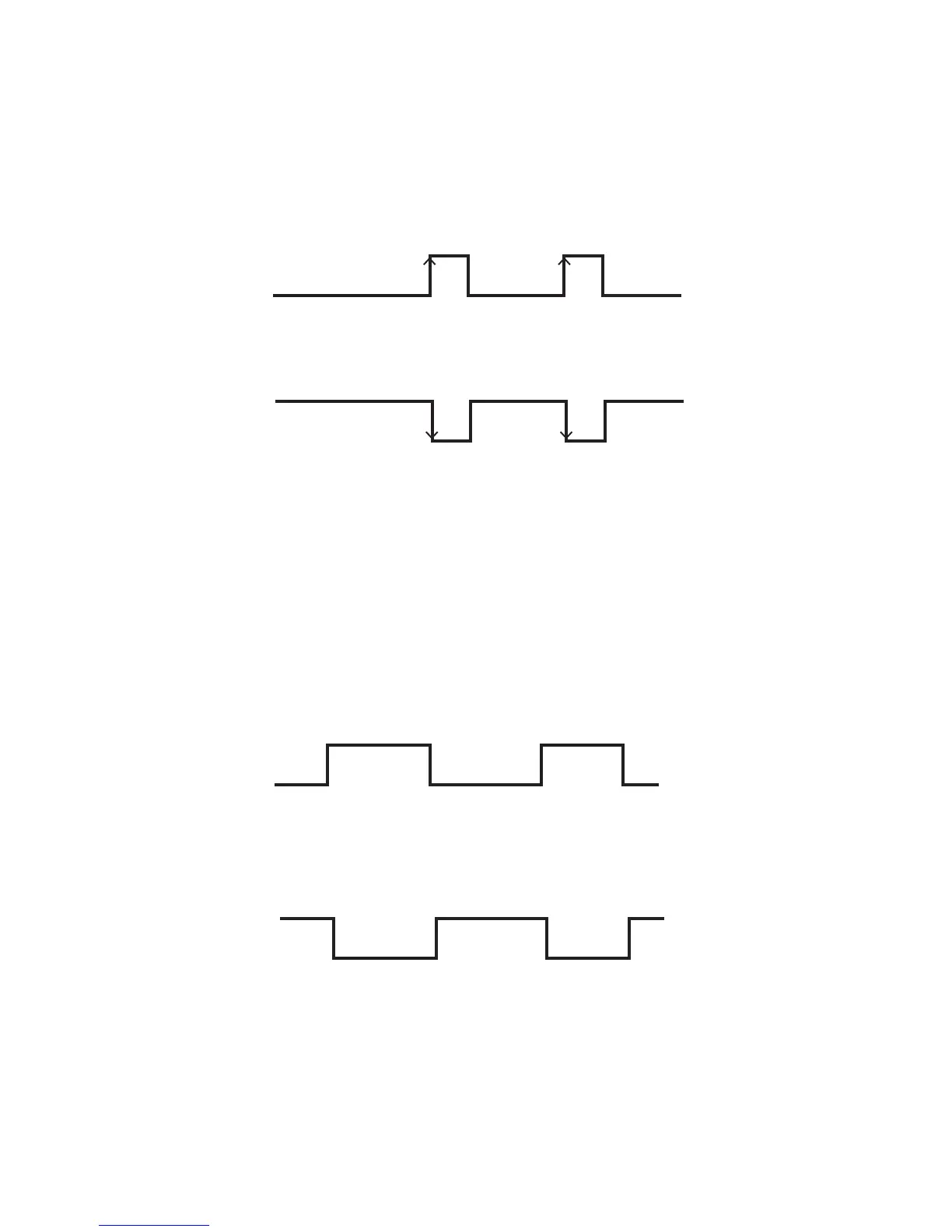
Edge trigger
When the user input changes from one state to the other, the Alpha FXM is triggered to perform Action #1. If the
level is set to High, the action will be triggered by a Low to High edge (leading edge). If the level is set to Low, the
action will be triggered by the High to Low edge (falling edge).
)LJXUH ² (GJH7ULJJHU
Level Toggle
When the Level is set to High, the Alpha FXM is triggered to perform the other action when the user input chang-
es from Low to High. If the input then changes from High to Low, Action #2 will be triggered. In other words, a
level change in the user input will trigger an action toggle between Action #1 and #2.
)LJXUH ² /HYHO7ULJJHU
Low to High
edge trigger
User input
Action #1 Action #1
D/HYHO +LJK
8VHU,QSXW /RZWR+LJK$FWLRQLVWULJJHUHG
8VHU,QSXW +LJKWR/RZQRDFWLRQWULJJHUHG
High to Low
edge trigger
User input
Action #1 Action #1
E/HYHO /RZ
8VHU,QSXW +LJKWR/RZ$FWLRQLVWULJJHUHG
8VHU,QSXW /RZWR+LJKQRDFWLRQWULJJHUHG
Action #1 Action #1
Action #2 Action #2
User input
D/HYHO +LJK
8VHU,QSXW /RZWR+LJK$FWLRQLVWULJJHUHG
8VHU,QSXW +LJKWR/RZ$FWLRQLVWULJJHUHG
Action #2Action #2
Action #1 Action #1
User input
E/HYHO /RZ
8VHU,QSXW +LJKWR/RZ$FWLRQLVWULJJHUHG
8VHU,QSXW /RZWR+LJK$FWLRQLVWULJJHUHG



 To Next Page