14
EnglishEnglish/Français/Español
1
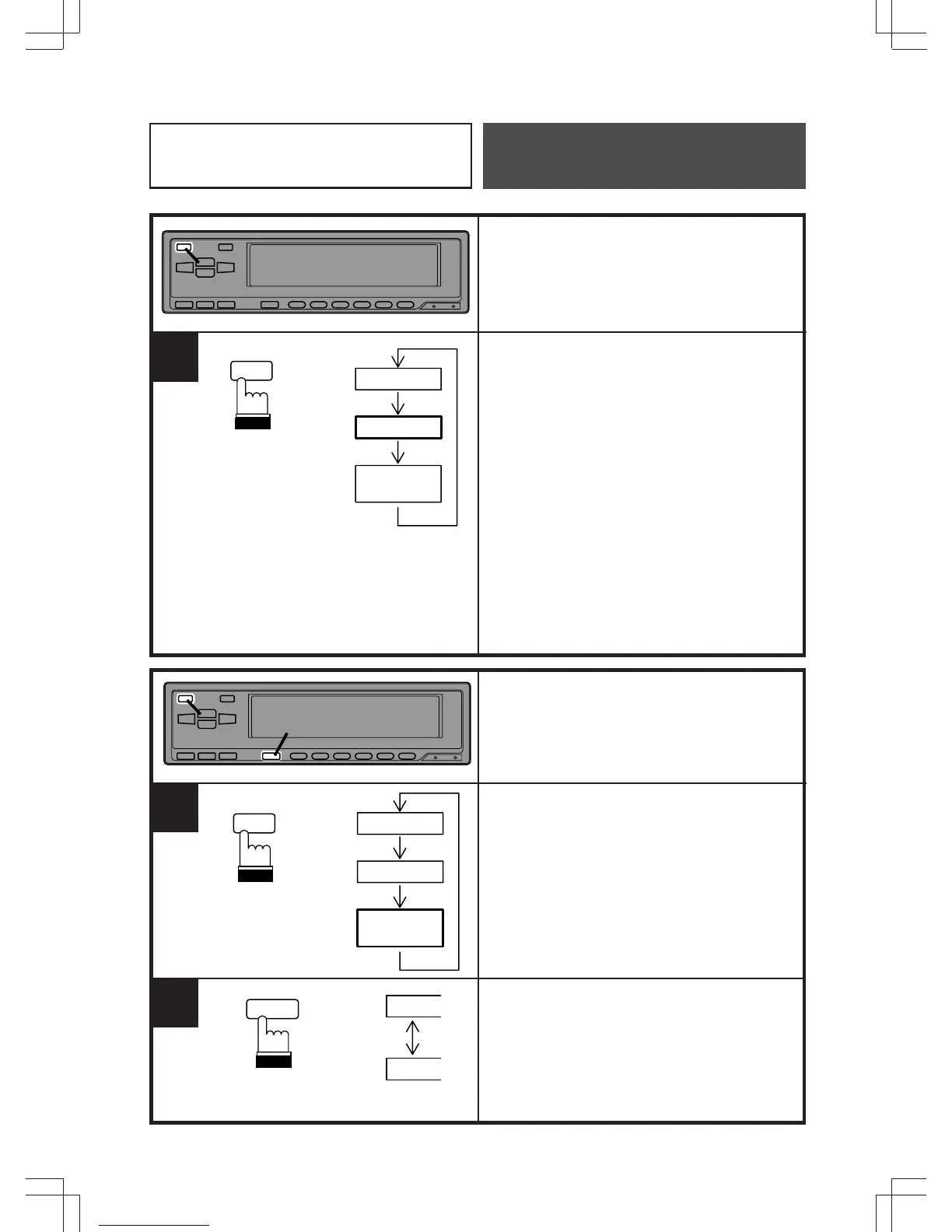
7 Band
14 Band
Front 7 Band
Rear 7 Band
1
Equalizer/Surround
Operation
Band Quantity Switching
Press and hold the MODE button for at least
4 seconds to switch the equalizer band from
7 to 14 bands.
Note: In the 14 band equalizer mode, the
surround cannot be used.
Dual Function
Press and hold the MODE button for at least
4 seconds in the 14 band mode to activate
the dual mode.
(Front output: 80, 200, 500, 1.2k, 3.2k, 8k,
16 kHz
Rear output: 50, 140, 315, 800, 2k, 5k,
11 kHz)
To make adjustments to the rear output, first
press the EQ button. While the EQ indicator
is blinking, press the DISP button. In this
way, you can toggle between the front and
rear adjustment modes.
MODE
EQ SEL
1 2
1
F
R
7 Band
14 Band
Front 7 Band
Rear 7 Band
2
DISP
MODE
EQ SEL



 To Next Page