64
EnglishEnglish/Français/Español
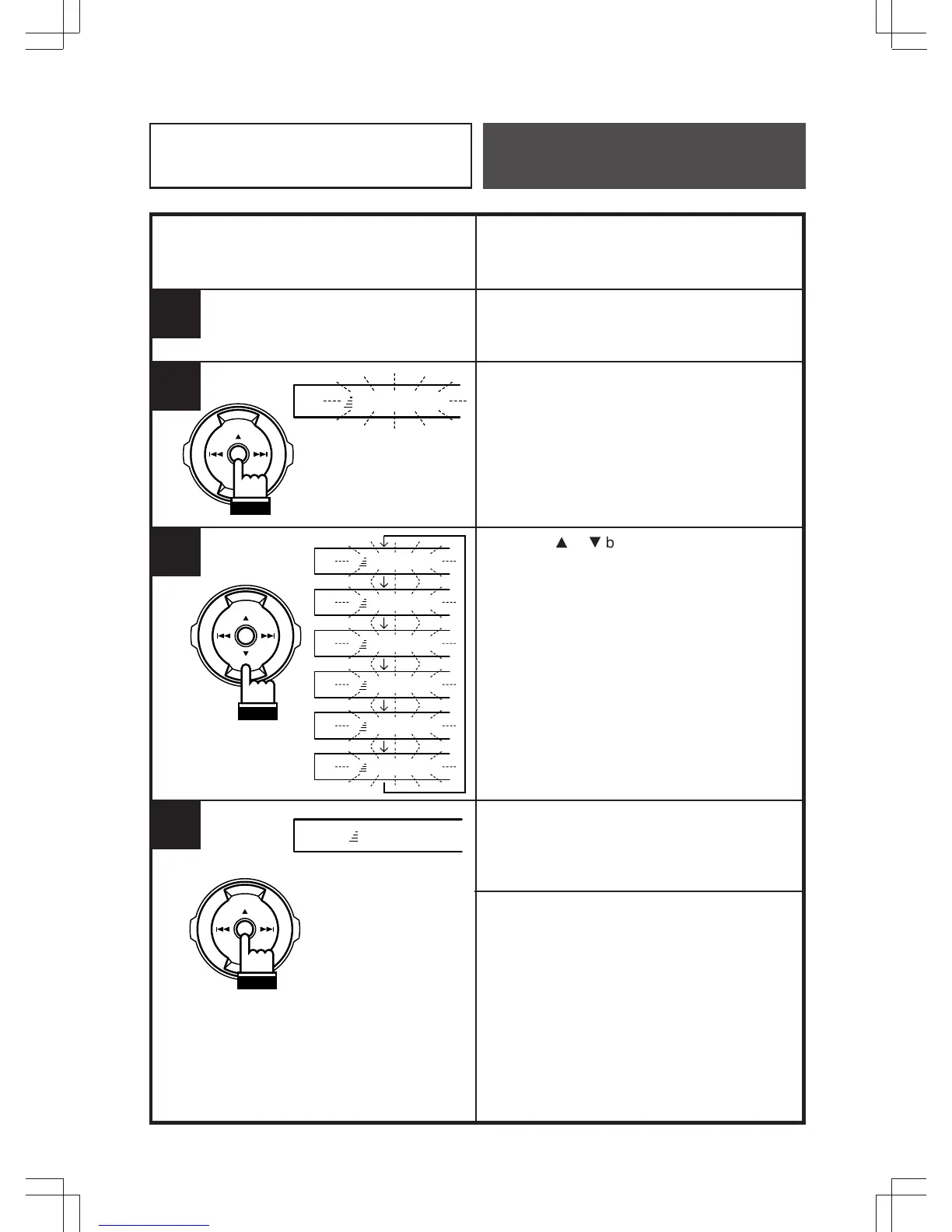
Storing the Time Correction
Adjust the time correction value referring to
page 60 "Adjusting Time Correction".
Press and hold the ENT button at least 2
seconds.
Press the
8
or
9
button to select the time
correction value to be stored from PRESET 1
to PRESET 6.
Press the ENT button to store the time
correction value.
If you want to store more, repeat the steps
above.
Note: Each operation should be made within
5 seconds.
1
3
ENT
4
2
Remote Control
Operation
TC 1 MEMORY
ENT
TC MEMORY
ENT
TC 1 MEMORY
TC 2 MEMORY
TC 3 MEMORY
TC 4 MEMORY
TC 5 MEMORY
TC 6 MEMORY



 To Next Page