28
EnglishEnglish/Français/Español
DSP Surround Presets
The ERA-G320 employs DSP (Digital Signal
Processing) to duplicate mathematically
various listening environments. Six typical
surround settings are provided for a variety of
musical source material as follows.
Note: If 14-band equalizer is selected, the
DSP Surround function can not be
used.
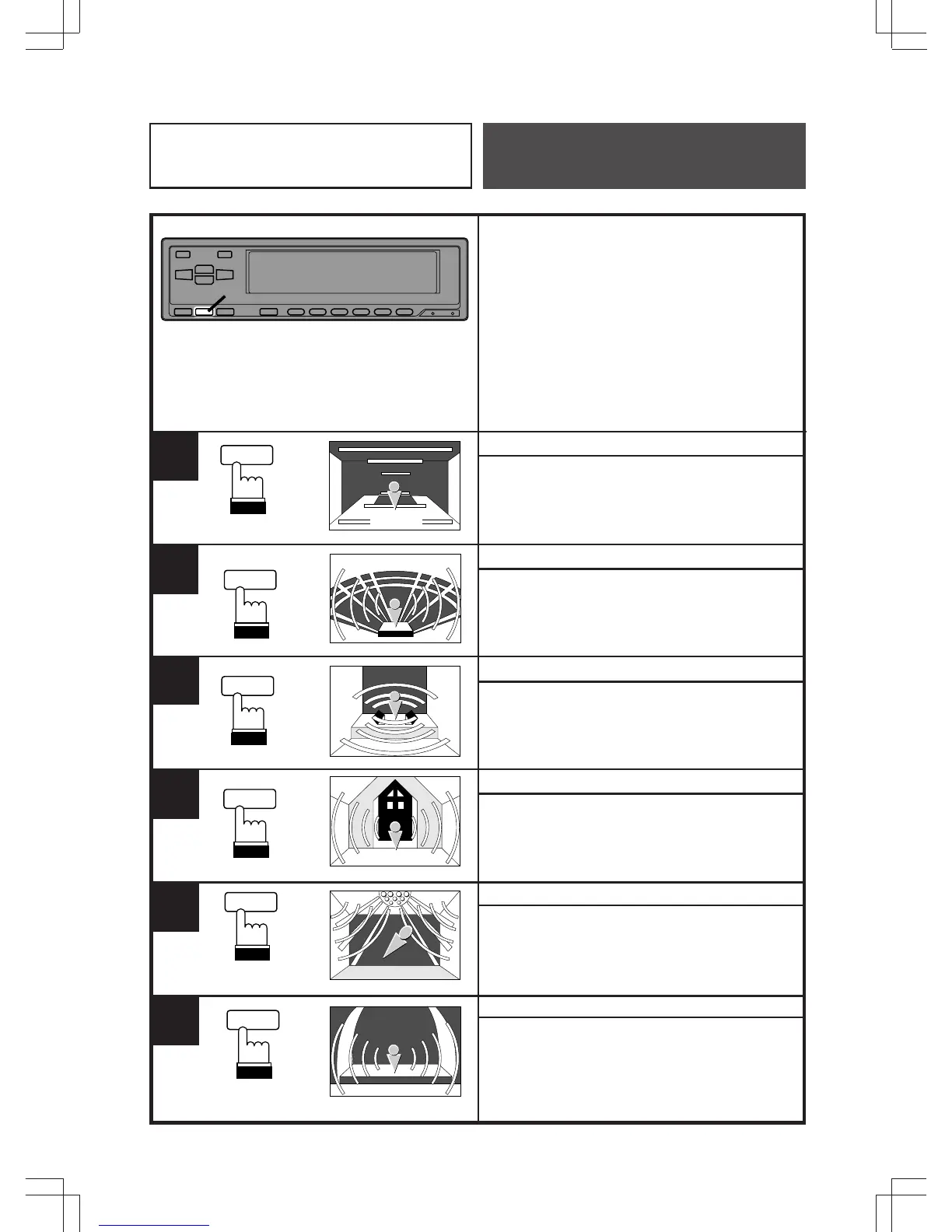
NORMAL (Flat)
Press the SUR (SURROUND) button to
select the Surround OFF (Flat) mode.
STADIUM
Press the SUR button to select the mode
which duplicates the acoustics of a large
outdoor stadium.
LIVE
Press the SUR button to select the mode
which duplicates the acoustics of a small,
intimate concert hall with few reflections.
CHURCH
Press the SUR button to select the mode which
duplicates the acoustics of a large cathedral with
high ceilings and many reflections.
DANCE
Press the SUR button to select the mode
which duplicates the acoustics of a dance
hall with moderate reflections.
HALL
Press the SUR button to select the mode
which duplicates the acoustics of a large
concert hall with limited reflections.
1.@.#.$.%.^
Equalizer/Surround
Operation
1
NORMAL
NORMAL
SUR
2
SUR
SUR
3
4
SUR
5
SUR
6
SUR
S
S
T
T
D
D
A
A
I
I
U
U
M
M
LIVE
CHURCH
CHURCH
DANCE
DANCE
HALL
HALL



 To Next Page