Maintenance
Replacing the operating device FK3--1
L51--800EN/04
9/12
04--2004
E ALSTOM
Removing the operating device
Process
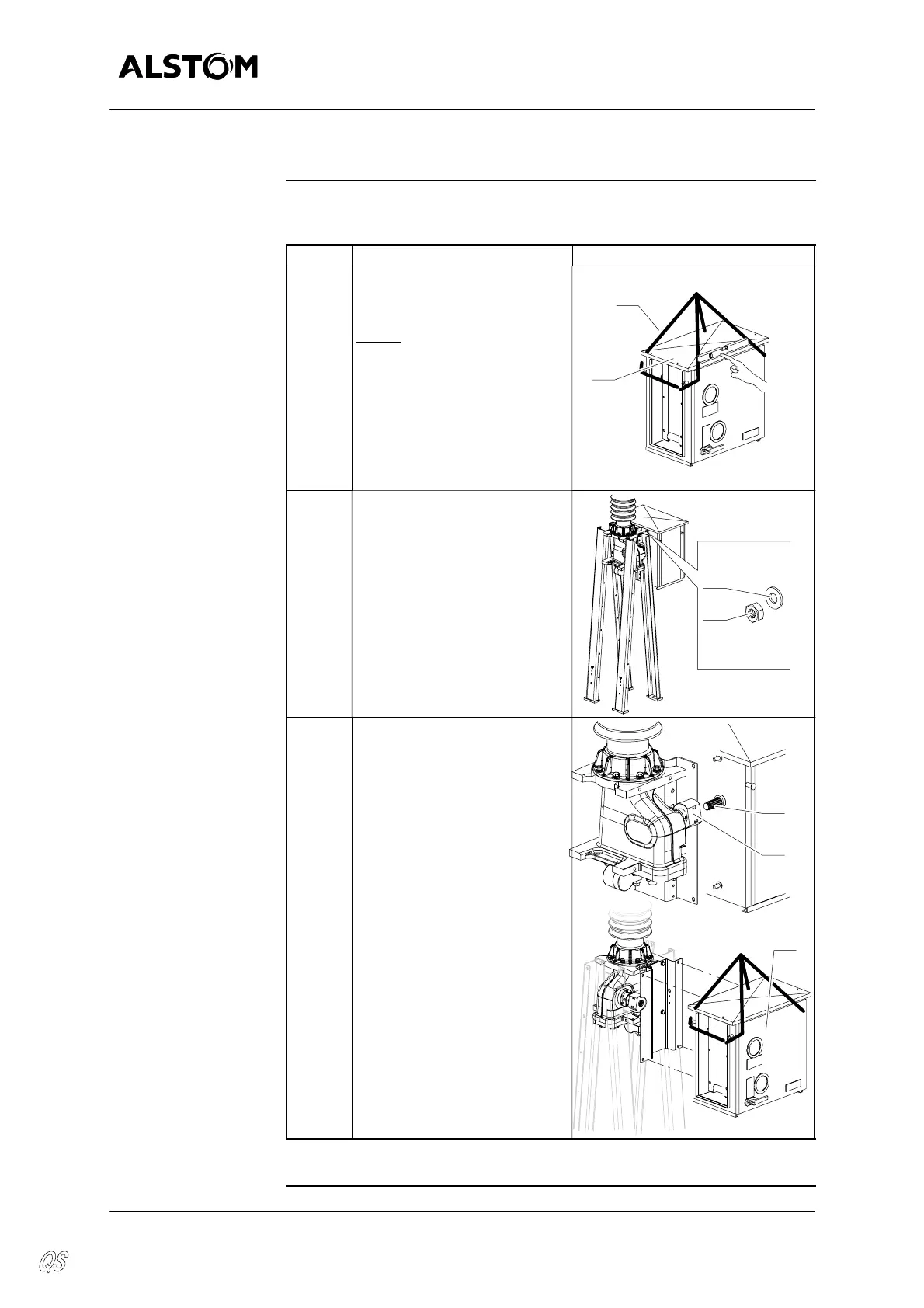
The table below gives the steps of removing the operating device :
Step Action Diagram
1 Sling the operating device us-
ing a lifting strap (1) like dia-
gram.
NOTE
: Do not remove the
roof (17) of the operating
device before slinging.
1
17
2 Remove the nuts (14) and
washers (10).
x4
HM16
14
10
3 Removetheoperatingshaft (7)
from the cylinder (12) and re-
move the operating device
(20).
7
12
20
Continued on next page.


 To Next Page