Maintenance
Replacing the operating device FK3--1
L51--800EN/04
10/12
04--2004
E ALSTOM
Removing the operating device, continued
Process, continued
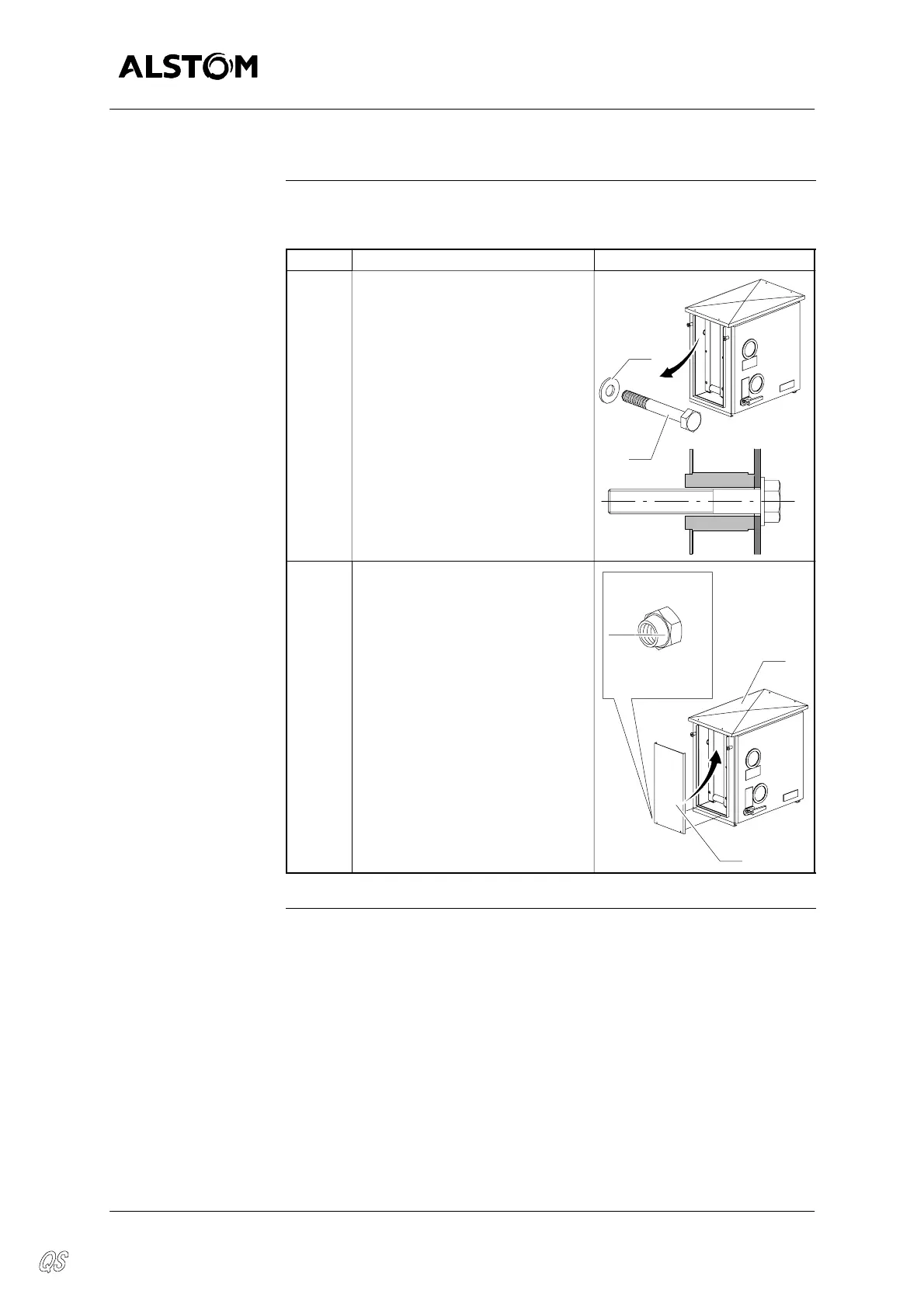
The table below gives the steps of removing the operating device :
Step Action Diagram
4 Remove the screws (9) and the
washers (10).
9
10
x4
5 Insert the side panel (3) under the
edge of the roof plate (4). Press it
down to insert the mounting
screws and fasten using nuts (2).
x2
NYLSTOP
M8
2
4
3


 To Next Page