Installation
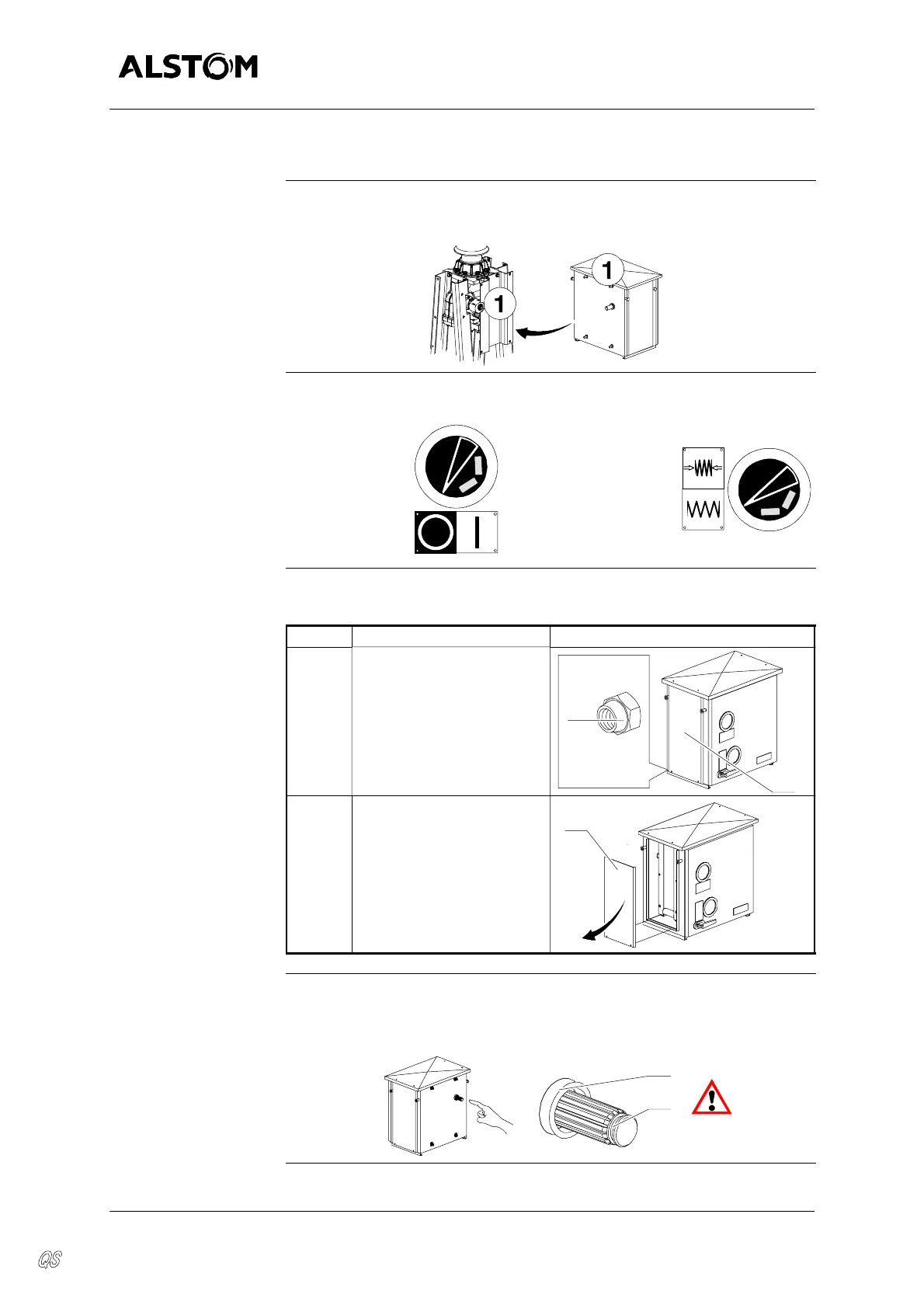
Installing the op erating device
L31--789EN/01
2/8
01--2004
E ALSTOM
Prep aring the operating device
Unpacking
Remove packaging protection and check that operating device and pole
reference numbers are the right ones.
Optical signalizations
Check the position of operating device optical signalization :
Circuit--breaker
Open
Closing spring
Released
Removing
side panels
The table below gives the steps of side panels removing :
Step Action Diagram
1 Remove the nuts (2) from
the left side panel (3).
x2
NYLSTOP
M8
2
3
2 Take hold of the left side
panel (3) from underneath,
pullslightlytowards theout-
side, then downwards tore-
move it.
Proceed in the same way
for the right side panel.
3
Operating shaft
Check the presence of the seal (11) on the operating shaft (13).
Check the presence of grease (ASEOL 0--365.2) on the operating shaft
(13).
13
11


 To Next Page