MaxCommunicator Manual 55
Configuration
Tags, you need to close and reopen Internet Explorer and the
Microsoft Office programs. Then you must configure your
Microsoft Office programs to display the Max Smart Tag, as
follows.
Configuring Microsoft Office programs to display the Max
Smart Tag
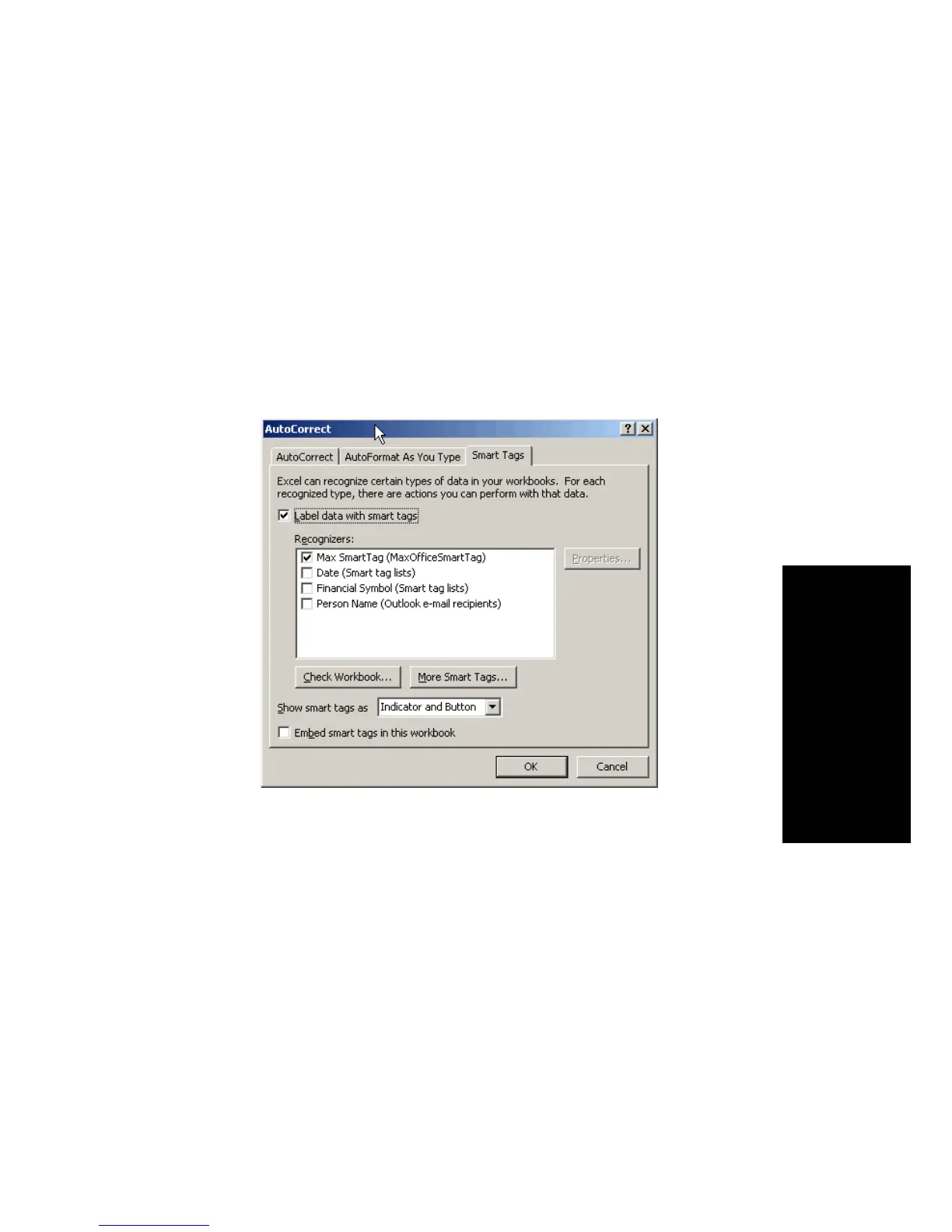
1. In each Microsoft Office program in which you want to use
this feature, select Tools > AutoCorrect Options, and click
the Smart Tags tab. The following figure shows the
AutoCorrect dialog box in Excel.
2. Check Label Data with Smart Tags, and check Max Smart
Tag.
3. Click OK.
Enabling and Disabling the Max Smart Tag in Internet Explorer
You can enable and disable the Max Smart Tag in Internet Explorer.
In IE, go to Tools > Manage Add-ons. The Manage Add-ons dialog
box opens:



 To Next Page