54 MaxCommunicator Manual
General Information
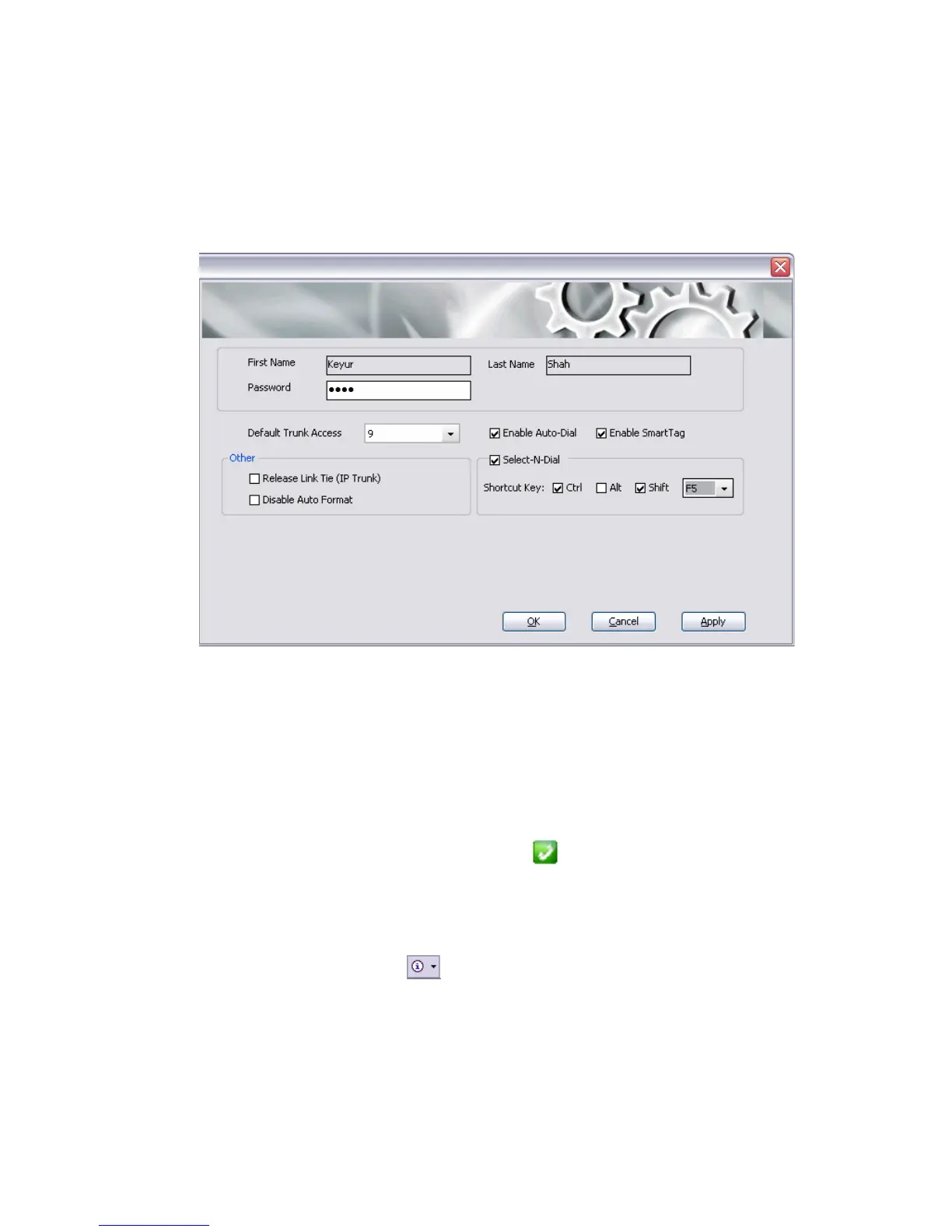
The General Info screen lets you edit your password and configure the
following general settings for MaxCommunicator.
You can configure these general settings:
• Default Trunk Access—The trunk access codes are defined by the
system administrator. When you get an incoming call over multiple
trunks and cannot issue a return call, the system will automatically
select the default trunk access code to place your call.
• Enable Smart Tag—If you check this option, two things happen:
• In Internet Explorer, a phone icon will appear beside telephone
numbers. You can click the phone icon to make the call.
• In Microsoft Office programs (Office 2003 and 2007), a Smart Tag
action icon will appear by the phone number. From the Smart Tag’s
drop-down menu , you can select Dial By MaxClient.
Whether the call is made automatically or the number is simply
placed in the dialer box depends on how you set Auto-Dial (see
below).
The Microsoft programs in which you want to use this option must
be open when you set the option. After checking Enable Smart



 To Next Page