7. Testing and Commissioning
7.1 Power on test
When connecting the power supply to your printer, please make sure whether the power indicator light is on,
LCD screen show correctly or not, hotbed and the extruder can be heated rightly or not, the thermistor, turbine
fan and radiator fan works normally or not; (SD-Card:\ Installation Instruction\ Video\ Power On Inspection.mp4)
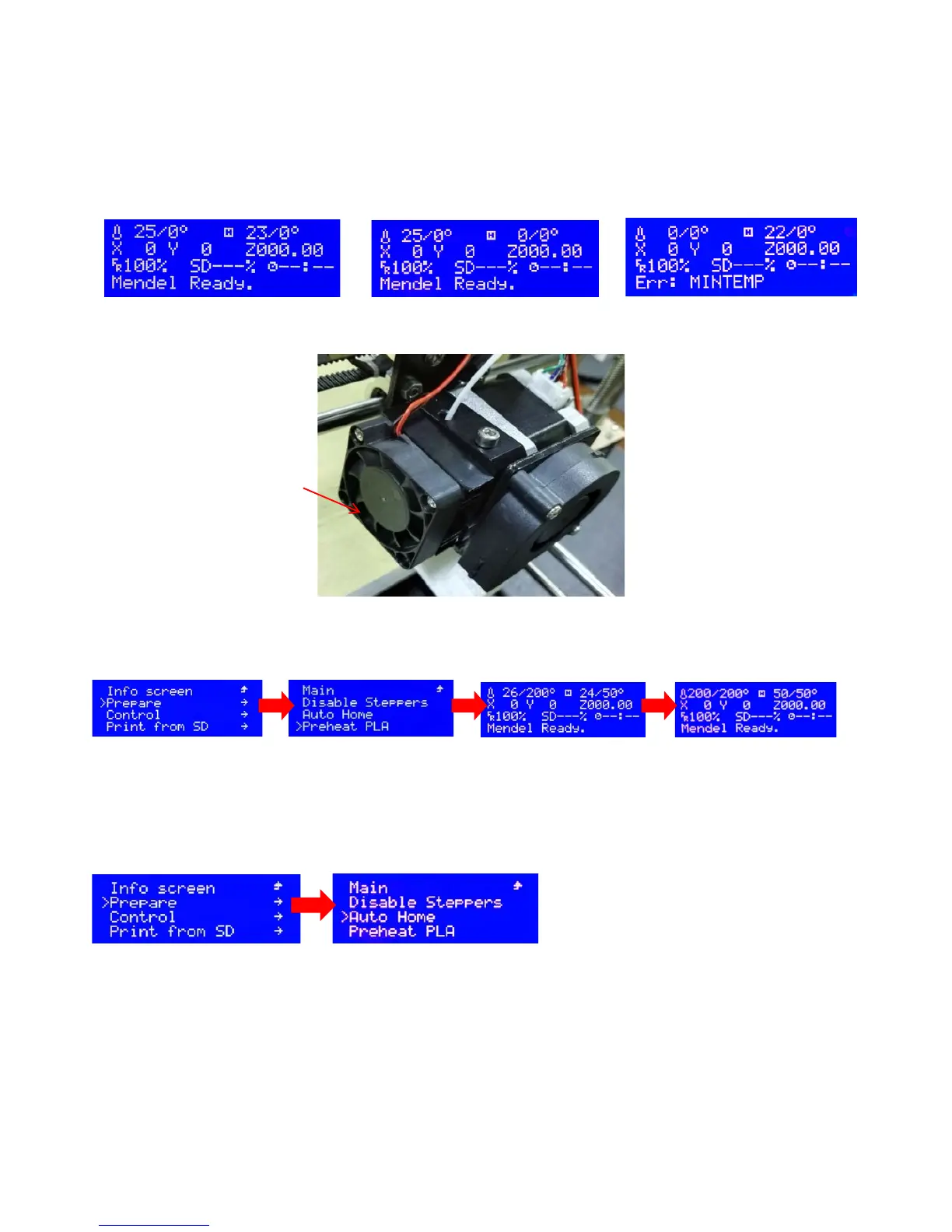
7.1.1 Turn on the power switch, LCD display, as shown in Figure
7.1.2 Fan check
7.1.3 Nozzle and hot bed heating inspection
Prepare” →“Auto Home”
X axis will move towards left, Y axis will move towards back, Z axis will move down, each axis will stop
moving till their limit switch
Switch on the power, this fan works


 To Next Page