7.4.2 The first Memo Interface
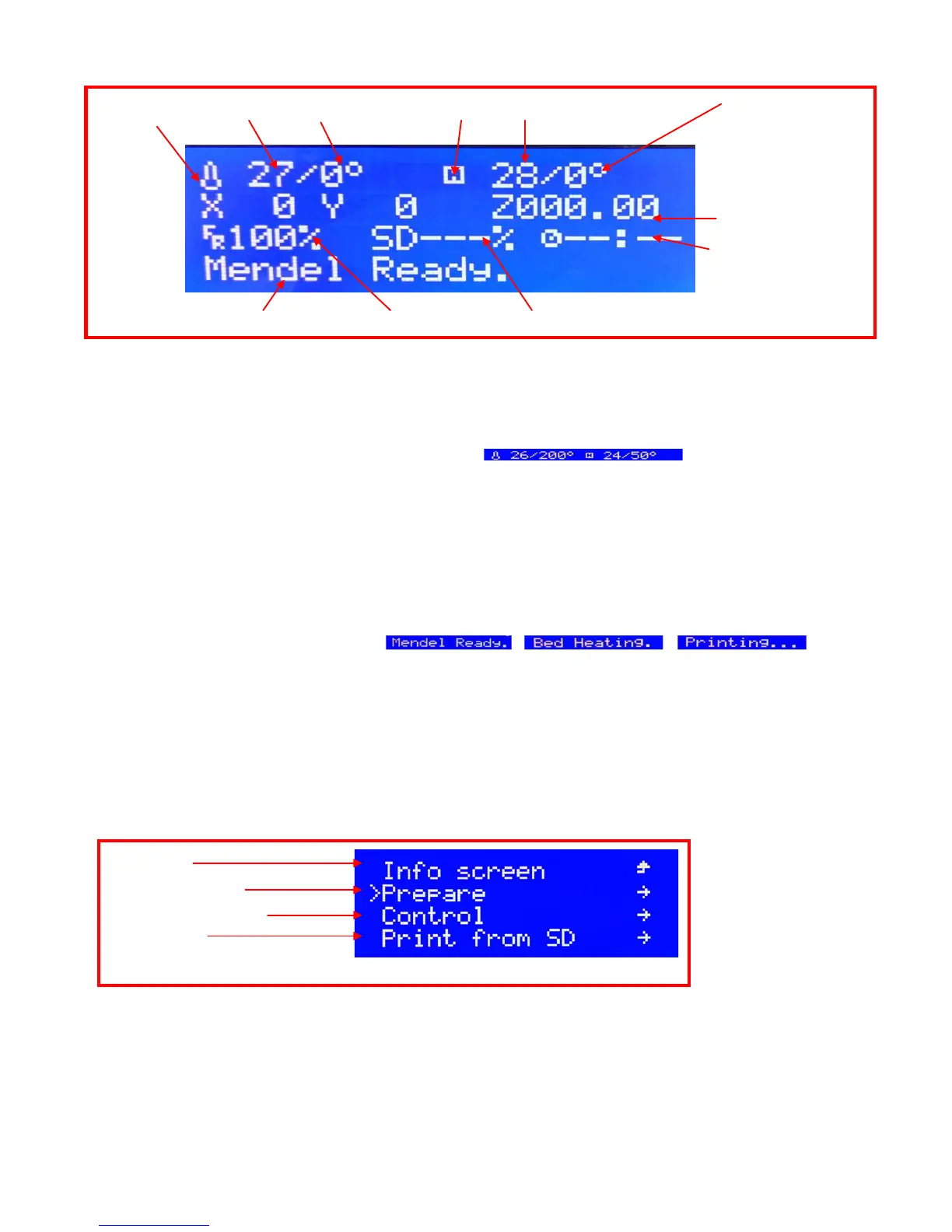
Plug the outlet and switch on, then access to the first memo interface (as shown on picture 7.17) which consist
of the 4 parts as below:
temperature, XYZ coordinate system, Printing status, Current situation of system
1. 1
st
line
It will show the temperature of nuzzle and hotbed, the two parts separated by “/” will show respectively before
and after the current and setting temperature, Such as , it shows that setting
temperature for nuzzle is180°and the current is 72°, it shows that setting temperature for hotbed is 70°and the
current is 31°
2. 2
nd
line
It will show the exact position of XYZ axis move onto in the printing.
3. 3
rd
line
It will show the speed and rate of progress of printing, and used time for printing. And it shows the multiple speed
of printing which is set up in the slicing.“100%” means the exact speed and 200% means that printing by the
speed 2 times as the one setting in slicing
4. 4
th
line
It shows the current status of printer, such as
7.4.3 The secondary memo interface
Press the knob and access to the 2
nd
memo interface, and it will show differently as below when the printer
is working or not
7.4.3.1 The 2
nd
memo interface when not printing (as shown on picture 7.18)
Click the (Info screen) and back the 1
st
page of memo interface
Click the (Prepare) and access to set up for printing prepare such as preheat the nozzle& hotbed, auto home,
move the nozzle and hotbed
Click the (Control) and set up for the temperature of nozzle& hotbed, parameter of stepper motor, restoring the
fail-safe, and storage memory etc.
Click the (Print from SD) and choose the printing file from the SD card, and it is sort of by copy time.
Current Temperature of hotbed /setting Temperature of hotbed


 To Next Page