Commissioning
AMALOG BAH0017.1 11.08
19
5 Commissioning
This section provides information on commissioning the on-board
computer .
5.1 Installing the terminal
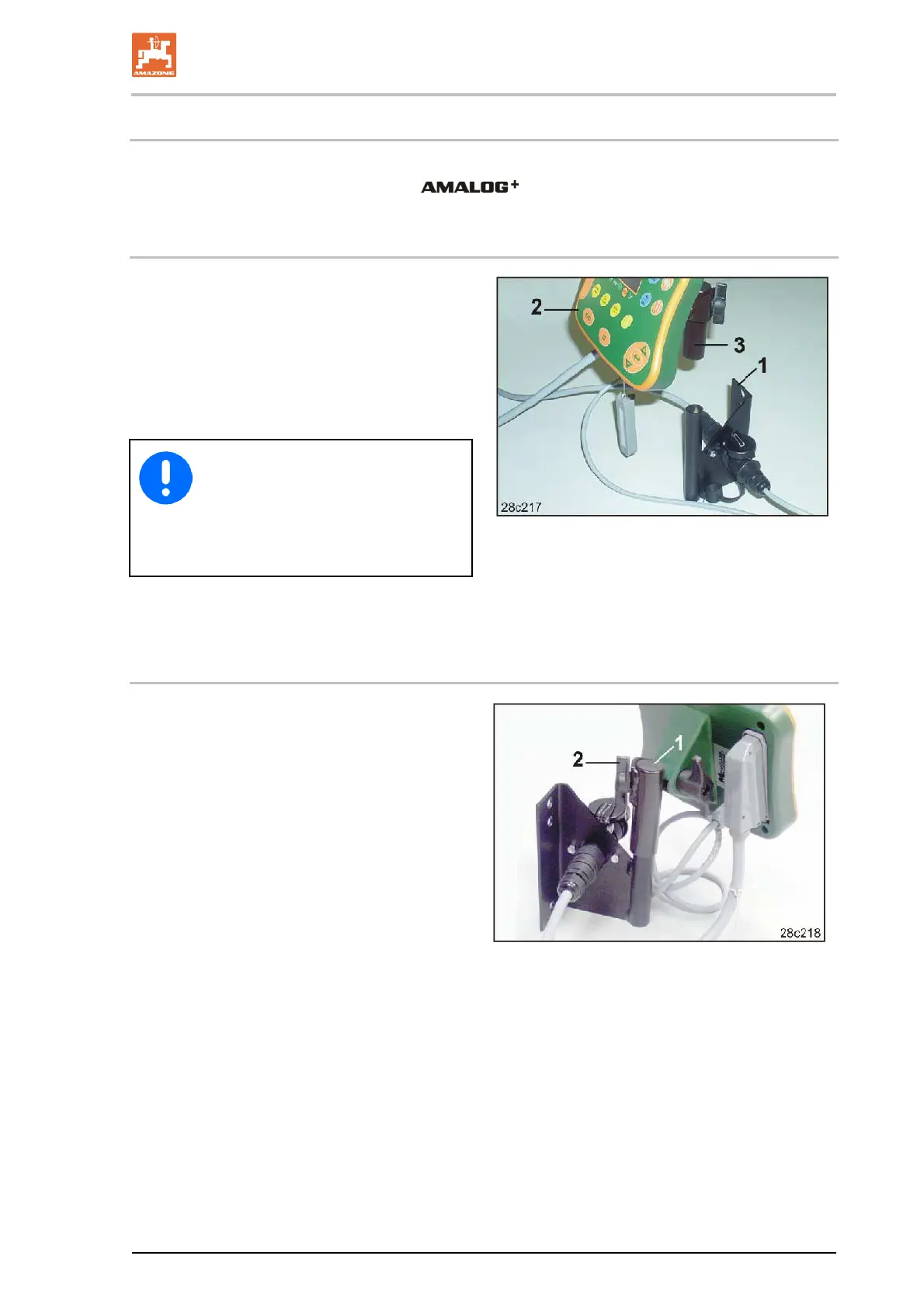
1. Screw the console (Fig. 11/1) so that is free
from vibrations and electrically connected to
the right of the driver's position in the tractor
cab, within visual range and easy to access
(Fig. 11/2).
The distance from the radio unit or aerial
must be at least 1 m.
The terminal must have an electrical
connection via the console to the trac-
tor chassis!
For this purpose, before installing the
console remove the paint at the instal-
lation points!
2. Equip the terminal with the counterpiece
(Fig. 11/3).
Fig. 11
5.2 Connecting the terminal
1. Insert the counterpiece (Fig. 12/1) into the
console and secure with the thumb screw
(Fig. 12/2).
Fig. 12


 To Next Page