Commissioning
20
AMALOG BAH0017.1 11.08
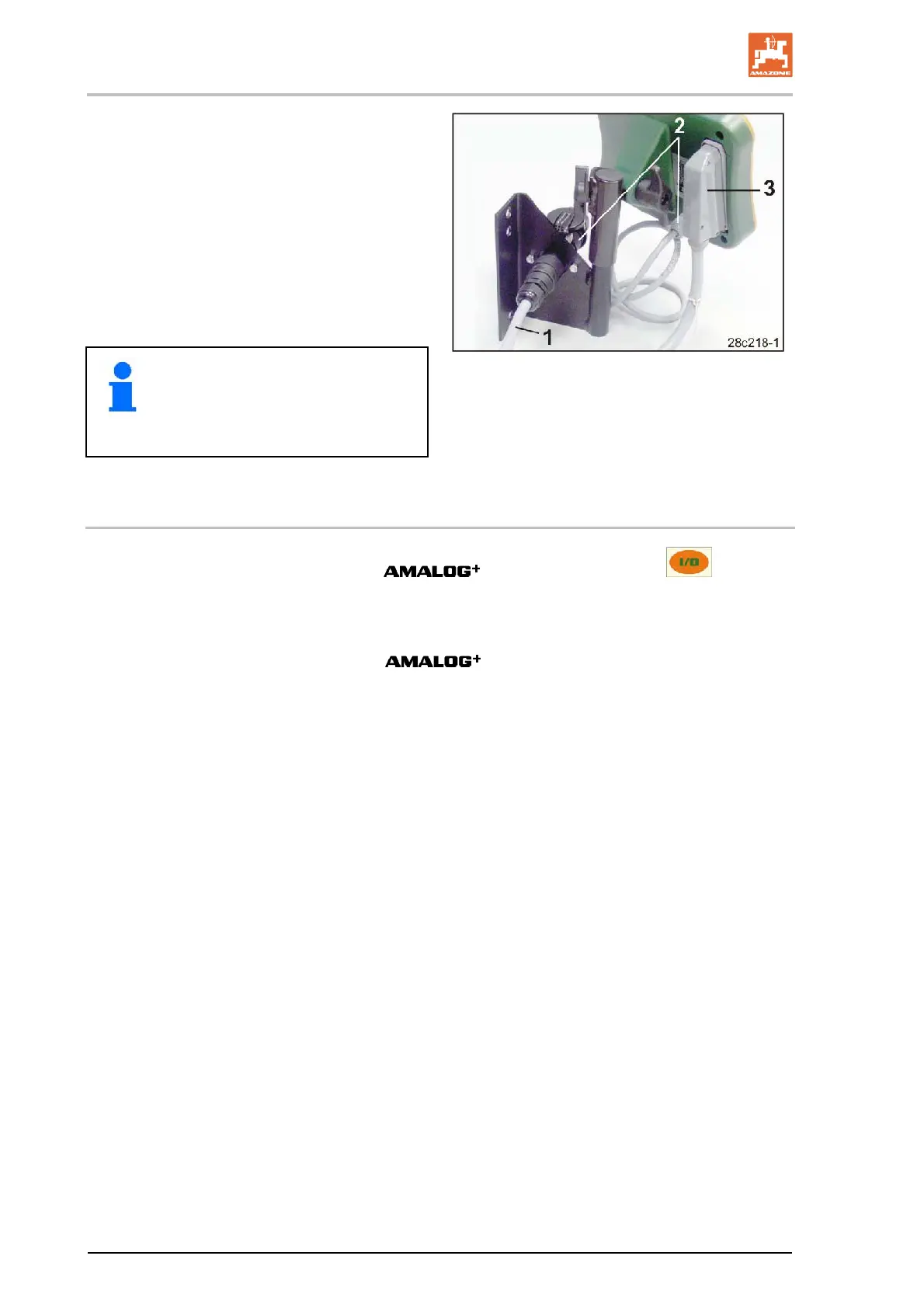
2. Insert the power cable (Fig. 13/1) into the
console and the 12V tractor socket.
3. Connect the console and the terminal with
the power cable (Fig. 13/2).
4. Couple the seed drill or soil tillage imple-
ment to the tractor vehicle (see operating
manual for seed drill or soil tillage imple-
ment).
5. Route the cable with the machine connector
(Fig. 13/3) into the tractor cab and insert it
into the machine connector in the terminal.
The machine connector is secured
against unintentional release by
means of a spring-loaded lever.
Actuate the lever before releasing the
machine connector.
Fig. 13
5.3 Switching the terminal on/off
Switch the
on and off by pressing the key.
Enter the machine-specific data (see section "Settings", on page 21).
When the computer is switched back on, the data are again available.
Before using a seed drill of a different type, enter the machine-specific
data in the
.
When the on-board computer is switched on, the computer software
version briefly appears.
If the supply voltage, e.g. during tractor startup, drops below 10 volts,
the computer switches off.



 To Next Page