Settings
AMALOG BAH0017.1 11.08
21
6 Settings
6.1 Entering machine data
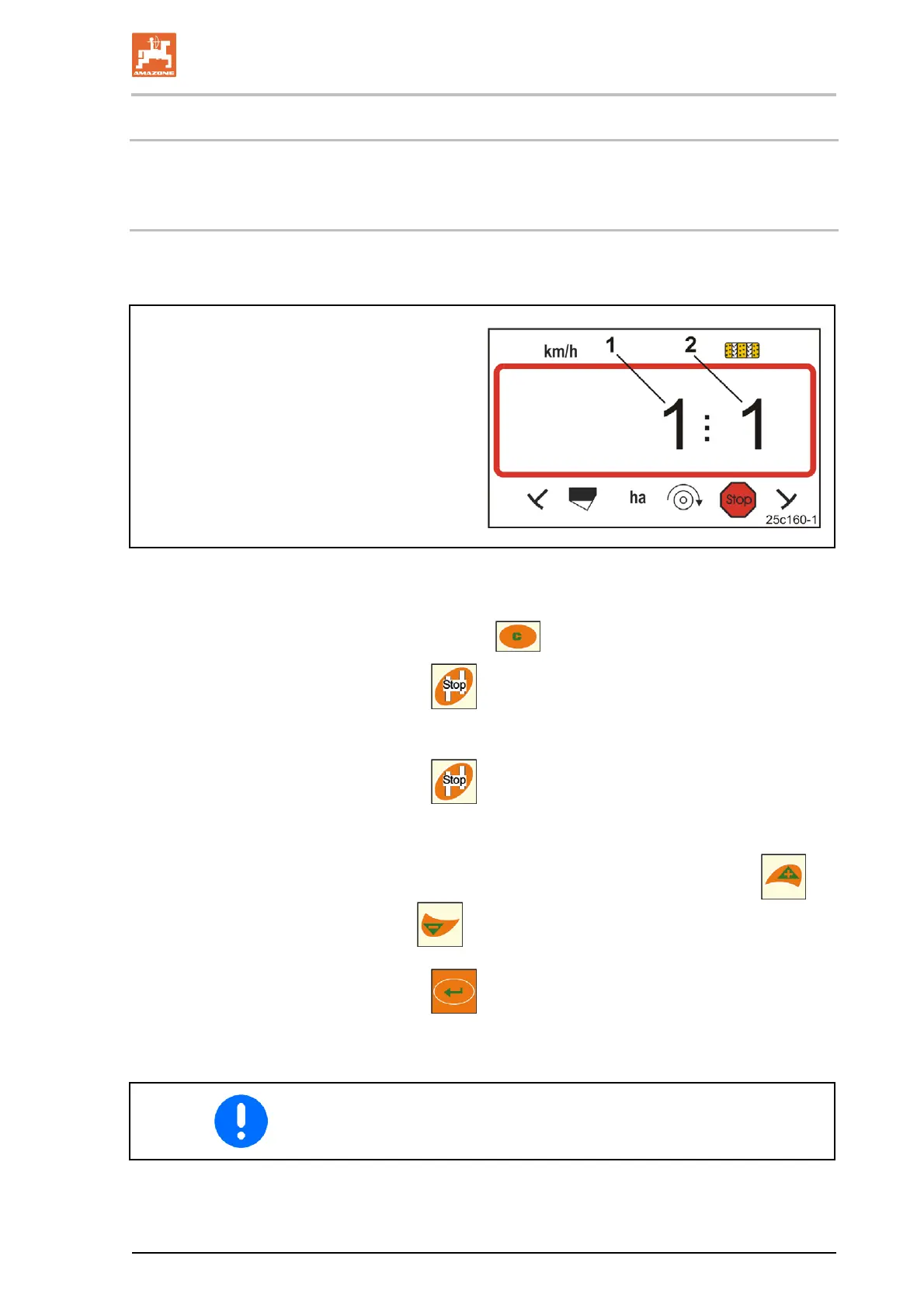
Open modes 1 to 6 and enter the machine data in coded form.
Digit 1 (1) shows the mode
Digit 2 (2) shows the coding.
Fig. 14
1. Press and hold
key.
2. Press
key.
→ Open mode 1 (see Fig. 14).
3. Press
key.
→ Select the desired mode [see table (Fig. 15), on page 22].
4. Set the code [see table (Fig. 15), on page 22] with the
and
keys.
5. Press
key.
→ Store the code.
Store the altered code before each changeover to the next mode.


 To Next Page