Work commencement
AMALOG BAH0017.1 11.08
35
8.1 Display during work
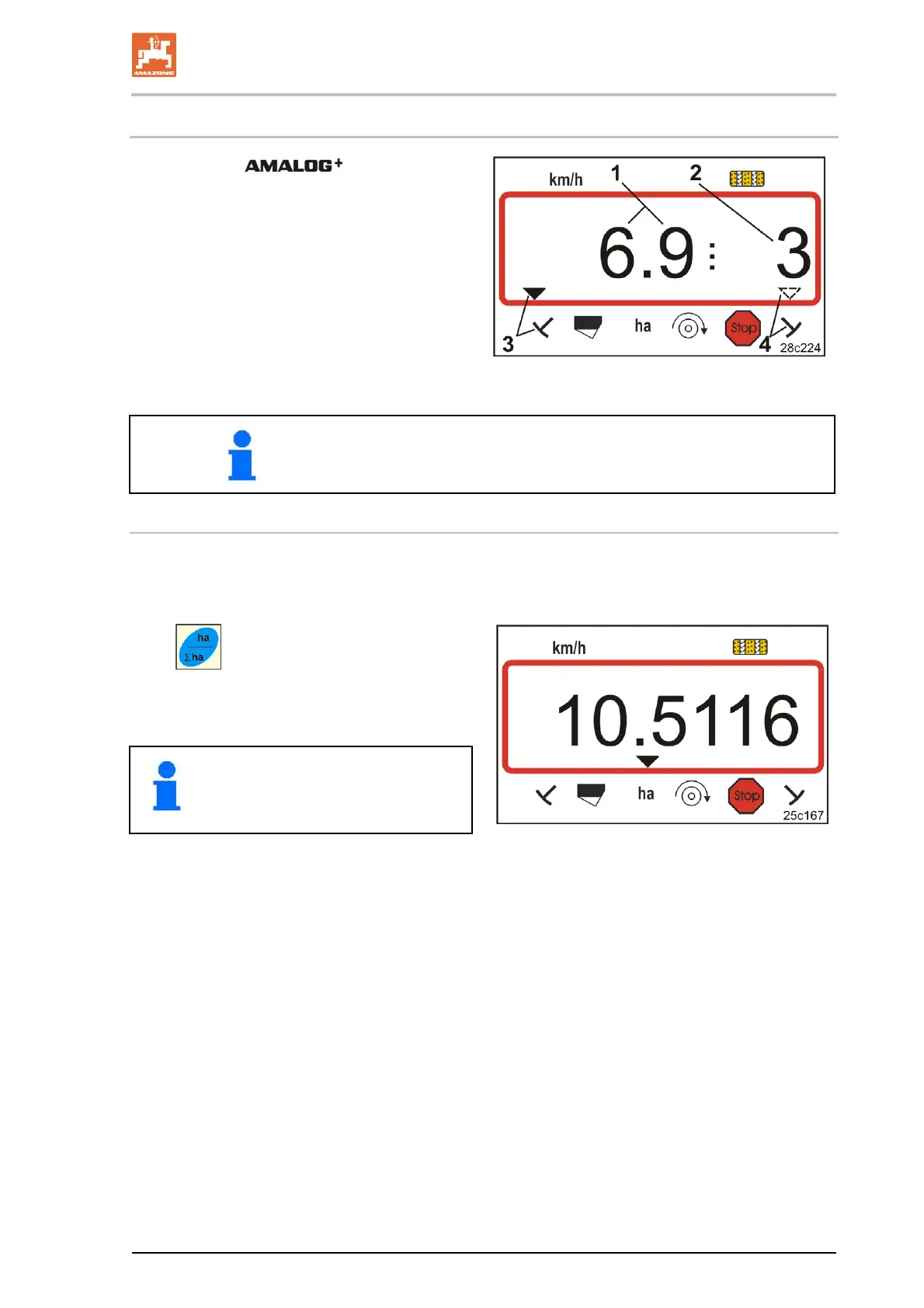
During work the indicates
• the travel speed (Fig. 31/1),
e.g. 6.9 km/h
• the setting of the tramline counter (Fig.
31/2),
e.g. setting 3
• the left track marker (Fig. 31/3)
is in the operational position
• the right track marker (Fig. 31/4)
is raised.
Fig. 31
When the tramline counter is counting, an acoustic signal is given.
Function keys
By actuating the following function keys, further data can be displayed
for approx. 10 seconds during the seeding.
Press
key.
→ Display (Fig. 32)
of cultivated part area (e.g. 10.5 ha)
since activating the start.
Delete the data
(see section "Work commencement",
on page 34).
Fig. 32


 To Next Page