22
Repair, maintenance and cleaning
AMADOS
+
DB 1001 01.04
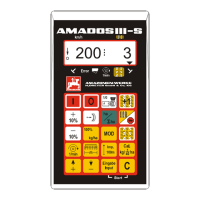
2. Checking the impulse figure of the setting motors
- Press key one time. The now appearing
impulse figure must have the value 1500±15. This
impulse figure describes the position of the setting
motors.
,
After a one time pressing of this key the
impulse figure for the left hand setting
motor is shown and after a two times
pressing the impulse figure for the right
hand setting motor.
,
If the shown impulse figures are b
the range of tolerance, please contact
our Technical Service Department.
,
If the displayed impulse figures are
within the range of tolerance, check the
shutter basic setting with the aid of a
setting gauge (Order No.: 915018).
,
If after pressing key .
figure is shown, the reason may be a
defect in the signal storing of the setting
motor. In this case, exchange the setting
motor.



 To Next Page