U10C034 MSO User’s Manual v1.4 June 2008
v
Contents
AUDIENCE ......................................................................................................... VII
ABOUT THE U10C034 TELEPHONY FIRMWARE ................................................. VII
IN THIS DOCUMENT .......................................................................................... VIII
TERMINOLOGY ................................................................................................. VIII
OVERVIEW 12
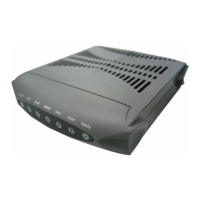
U10C034 TELEPHONY MODEMS ..................................................................... 13
CORE FUNCTIONALITY ...................................................................................... 14
FIRMWARE FUNCTIONALITY ............................................................................ 14
MULTIPLE COUNTRY PROFILE SUPPORT ............................................................ 15
PROVISIONING 18
2.1 CONFIGURING CABLE MODEM BEHAVIOR ................................................... 20
2.1.1 Disabling the CM miniFirewall ...................................................... 20
2.1.2 Resetting non-volatile Memory to Factory Default ........................ 20
2.1.3 Configuring Downstream Scanning ............................................... 20
2.1.4 Non-PacketCable DSx Messaging ................................................. 22
2.2 CONFIGURING EMTA BEHAVIOR .................................................................. 23
2.2.1 Management Provisioning .............................................................. 23
2.2.2 Disabling the eMTA firewall.......................................................... 29
2.2.3 MTA DHCP Option 122/177 ......................................................... 29
2.2.4 Software Upgrade During Calls ..................................................... 30
2.2.5 Configuring the Jitter Buffer .......................................................... 30
2.2.6 Configuring for Network Maintenance Operations ........................ 33
2.2.8 EndPoint Provisioning .................................................................... 37
2.2.9 Telephony Port Diagnostics ........................................................... 40
2.2.10 Audible Tone Tables .................................................................... 45
2.2.11 DQoS Lite Enable ........................................................................ 48
2.2.12 RFC2833 Enable .......................................................................... 48
2.2.13 Configure MTA syslog server Ip address. .................................... 48
2.2.14 Configure Battery Low Threshold ................................................ 49
2.2.15 Configure MGCP Provisional Response ...................................... 50
WEB INTERFACE 51
3.1 Accessing the Web User Interface .................................................... 52
3.2 Web User Interface Home Page ........................................................ 53
3.3 Status ................................................................................................. 53
3.4 CM Hardware .................................................................................... 54
3.5 Event Log .......................................................................................... 55
3.6 CM State ............................................................................................ 56
3.7 Web User Interface Advanced Page .................................................. 57
3.8 Product – Display status, interface information ................................ 58
3.9 DHCP – Display CM and MTA DHCP information ......................... 59
3.10 MTA – Display some detail MTA parameters ................................ 60
3.11 QoS – Display service flow information ......................................... 61
3.12 Config Params – Display CM and MTA config files information .. 62


 To Next Page