77
6.1 Ambit EMTA supports following troubleshooting interface:
z SNMP MIB Interface
Using an SNMP-based network management system, you can read cable modem and
MTA MIB to determine the status of EMTA.
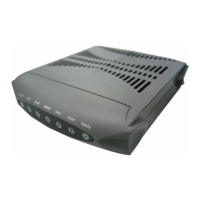
z LED Interface
Each EMTA has a group of LEDs on its front panel. These LEDs are especially useful to
track the configuration and registration process of the EMTA attempting to connect to
the network.
z Web-based Interface
The EMTA includes a simple HTTP (web) server that provides several pages showing
status and other information about the EMTA. You can access the web pages from either
the subscriber (CPE) side or network (cable) side.
6.2 Using MIB for Troubleshooting
Using an SNMP manager to read cable modem and MTA MIB variables can be useful for
troubleshooting. The following are MIBs that can provide information to resolve many common
issues.
Cable Device MIB
The following MIB are part of the DOCS-CABLE-DEVICE-MIB, they provide status and control
for the cable modem as a system (as opposed to interface MIBs, which operate on a single
interface).
DocsDevServer MIB
These variables display and control the status of communications with network servers (CMTS, DHCP
server, and so forth).
docsDevServerBootState
If operational(1), the cable modem has completed loading and processing of configuration
parameters and the CMTS has completed the registration exchange.
If
disabled(2), then the cable modem was administratively disabled, possibly by being refused
network access in the configuration file.
If
waitingForDhcpOffer(3), then a DHCP Discover has been transmitted and no offer has yet been
received.
If
waitingForDhcpResponse(4), then a DHCP Request has been transmitted and no response has
yet been received.
If
waitingForTimeServer(5), then a Time request has been transmitted and no response has yet been
received.
If
waitingForTftp(6), then a request to the TFTP parameter server has been made and no response
received.
If
refusedByCmts(7), then the Registration Request/Response exchange with the CMTS failed.
If
forwardingDenied(8), then the registration process completed, but the network access option in
the received configuration file prohibits forwarding.
docsDevServerDhcp


 To Next Page