U10C034 Telephony Version v1.4 June 2008
64
3.14 Using the Password of the day Tool
The POTD tool, POTD.exe, is available on the TS5.0 firmware CD. It is a Windows application,
with the following software requirements:
Windows 98, Windows NT, Windows 2000 or Windows XP
Microsoft.Net plus Service Pack 2. The installer provides this package if required.
Internet Explorer version 5.1 or newer. The newest version of Internet Explorer is available at
Microsoft web site (http://www.microsoft.com/windows/ie/default.asp)
The POTD tool can create a single password. For added security, you can also define a seed value
used to generate the passwords.
3.15 Using the POTD tool
This procedure provides instructions for using the POTD.exe tool. Before performing any of
the tasks in this procedure, please run the application POTD.exe from windows DOS command
line.
Generating the Password
Follow these steps to generate a single password.
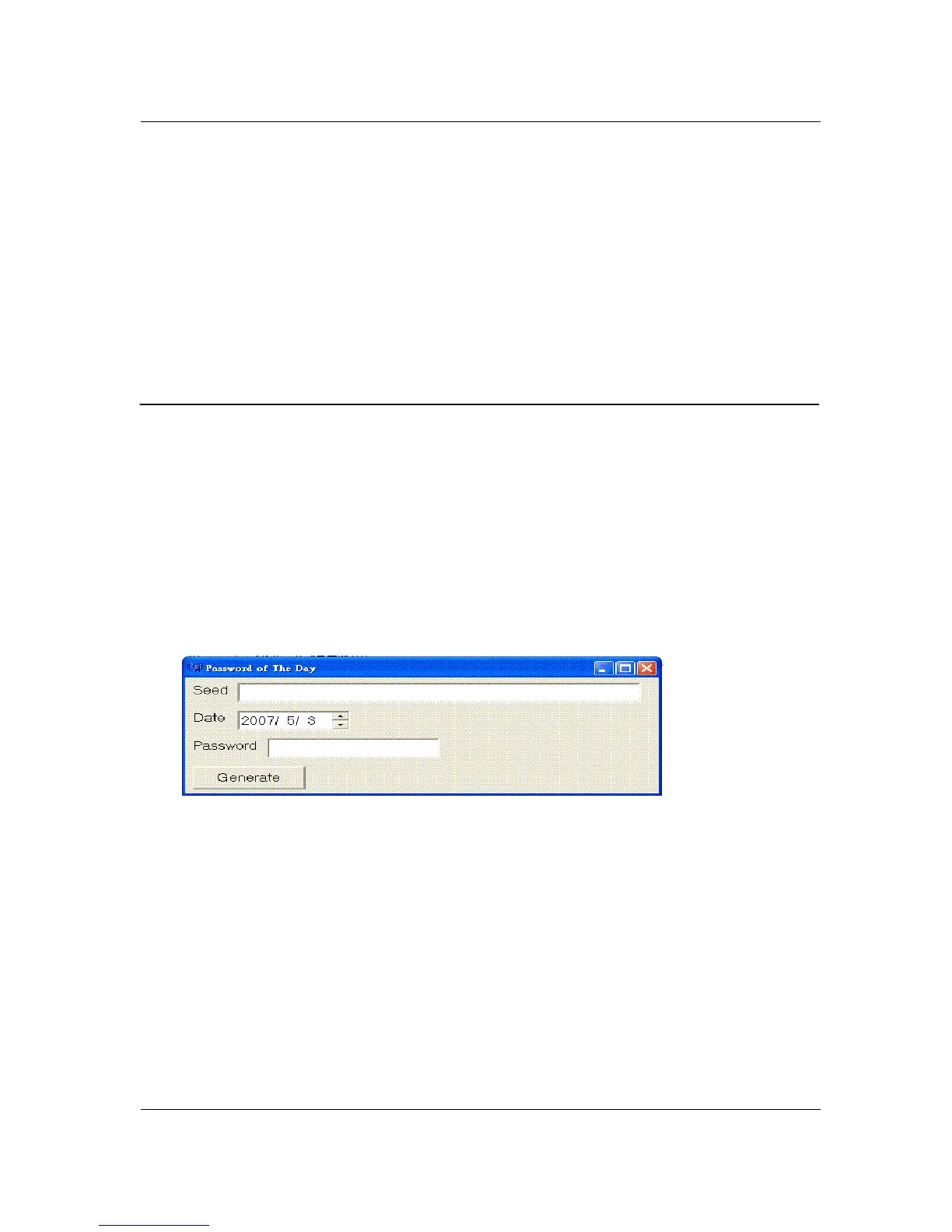
1. Execute the POTD.exe tool, if you have not done so already.
2. POTD tool can use a default seed to generate the password of the day. For added security,
you can create a different seed to change the password pattern. You can input seed in the
Seed field. It’s up to 40 characters. If none of seed is input, the default seed will be used.
3. Set the ‘Date’ field.
4. Click ‘Generate’ button, the password will appear in the Password text box. You can
select and copy the password as needed.
Changing the Seed
Using the following MIB can change the default seed, to read the value will always return
empty
OID: 1.3.6.1.4.1.4413.2.2.2.1.1.3.7.0 Type: OCTET STRING
The maximum length of the seed is 40bytes
The default seed value is
TghksDfkeorQdkfhnxzlaoeutrb18skd7jDds7Wi



 To Next Page