- 26 -
C141501700.fm
User's manual
GB
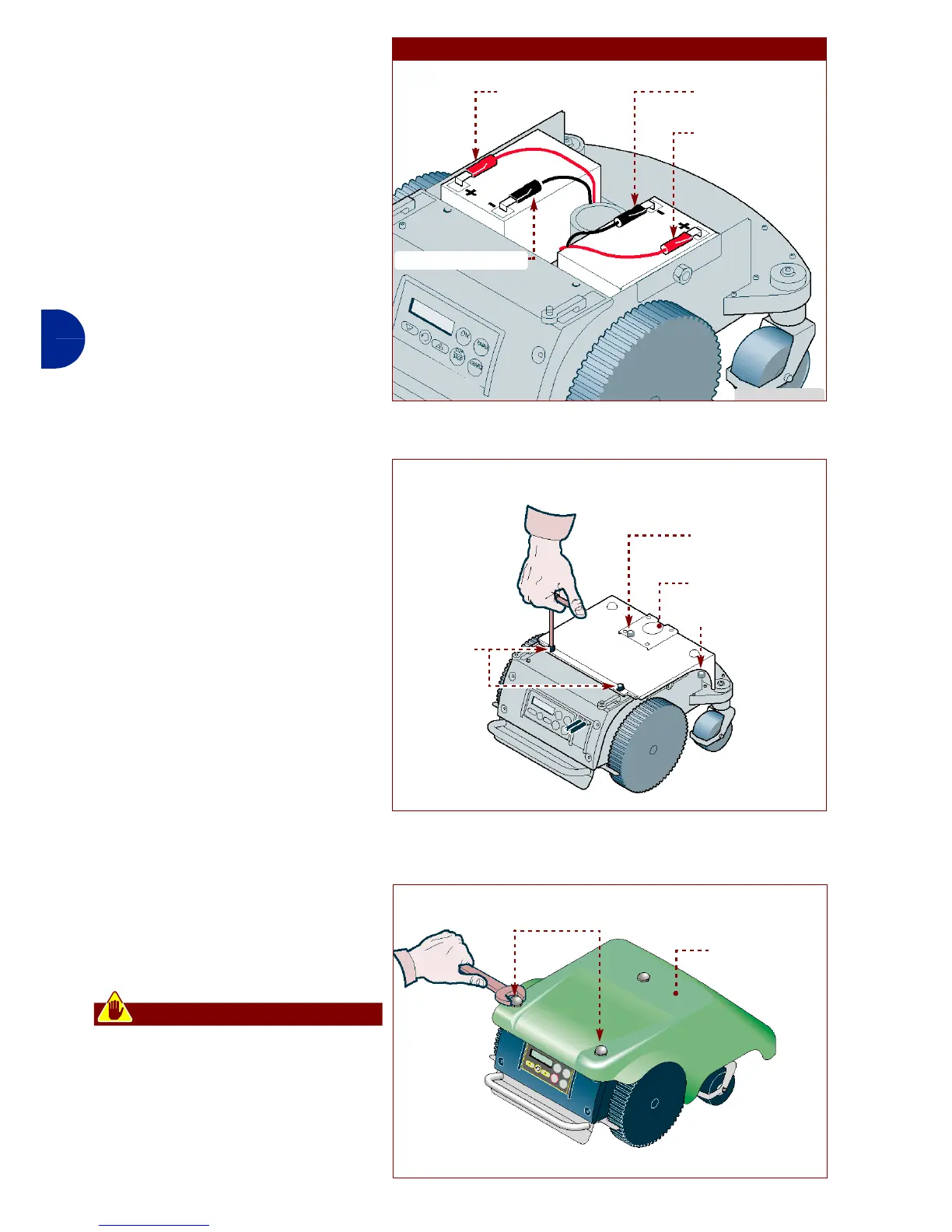
Lithium battery connection
1-Connect the connector (P)
(black colour with black cable)
2-Connect the connector (Q)
(red colour with red cable)
3-Connect the connector (R)
(red colour with red cable) (on-
ly when installing 2 lithium bat-
teries).
4-Connect the connector (S)
(black colour with black cable)
(only when installing 2 lithium
batteries).
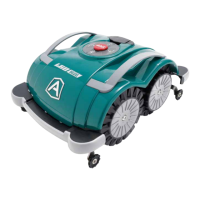
On completing the batteries con-
nections proceed as indicated.
1-Reassemble body cover (D)
and tighten screws (C).
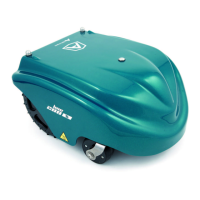
2-Assemble the hood (B).
3-Tighten the knobs (A).
4-Insert the robot inside the re-
charging station.
Warning - Caution
Before performing the first re-
charge, check that the power
supply unit is suitable for the
type of batteries installed (pow-
er supply unit for lead or lithium
batteries).
IDM - 41501702600.tif
LITHIUM BATTERY
connector (P)
connector (Q)
connector (R)
connector (S)
IDM - 41501702700.tif
guard (D)
screw (C)
screw (C)
screw (C)
IDM - 41501702800.tif
Recharging knobs (A)
hood (B)


 To Next Page