100
4.10.5.2 Date & Time
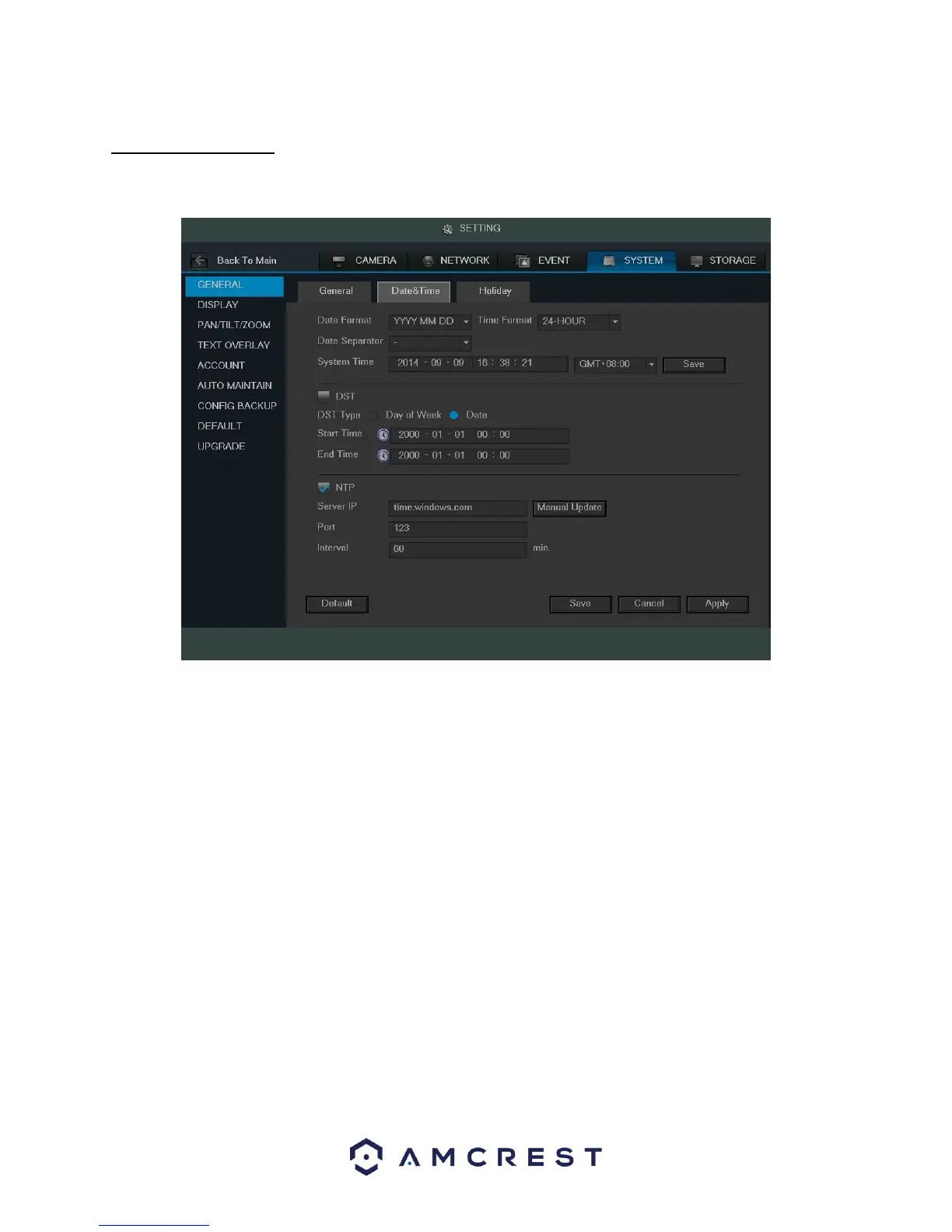
This screen displays date and time settings for the DVR. Below is a screenshot of the Date & Time settings screen:
Below is an explanation of the fields on the Date & Time settings screen:
• Date Format: This dropdown box allows the user to specify a date and time format for the DVR to use. There
are 3 options.
YYYY MM DD: Year,
Month, Day.
MM DD YYYY: Month, Day, Year.
DD MM YYYY: Day,
Month, Year.
• Time Format: This dropdown box allows the user to specify a time format for the DVR to use. There are two
options.
o 24 Hour o 12 Hour
• Date Separator: This dropdown box allows the user to specify a date separator. There are 3 options:
– Dash / Forward Slash_ Underscore
• System Time: This field allows the user to set the system time and time zone. Click Save to save the system
time as it is shown in the display.
• Time Zone: This dropdown box allows the user to specify a time zone for the DVR to use.
DST: This checkbox allows the user to activate DST for the system.



 To Next Page