126
To access the web access settings menu, click the gear icon near the top right hand corner of the web access
interface.
5.4.1 Camera Settings
5.4.1.1 Image Settings
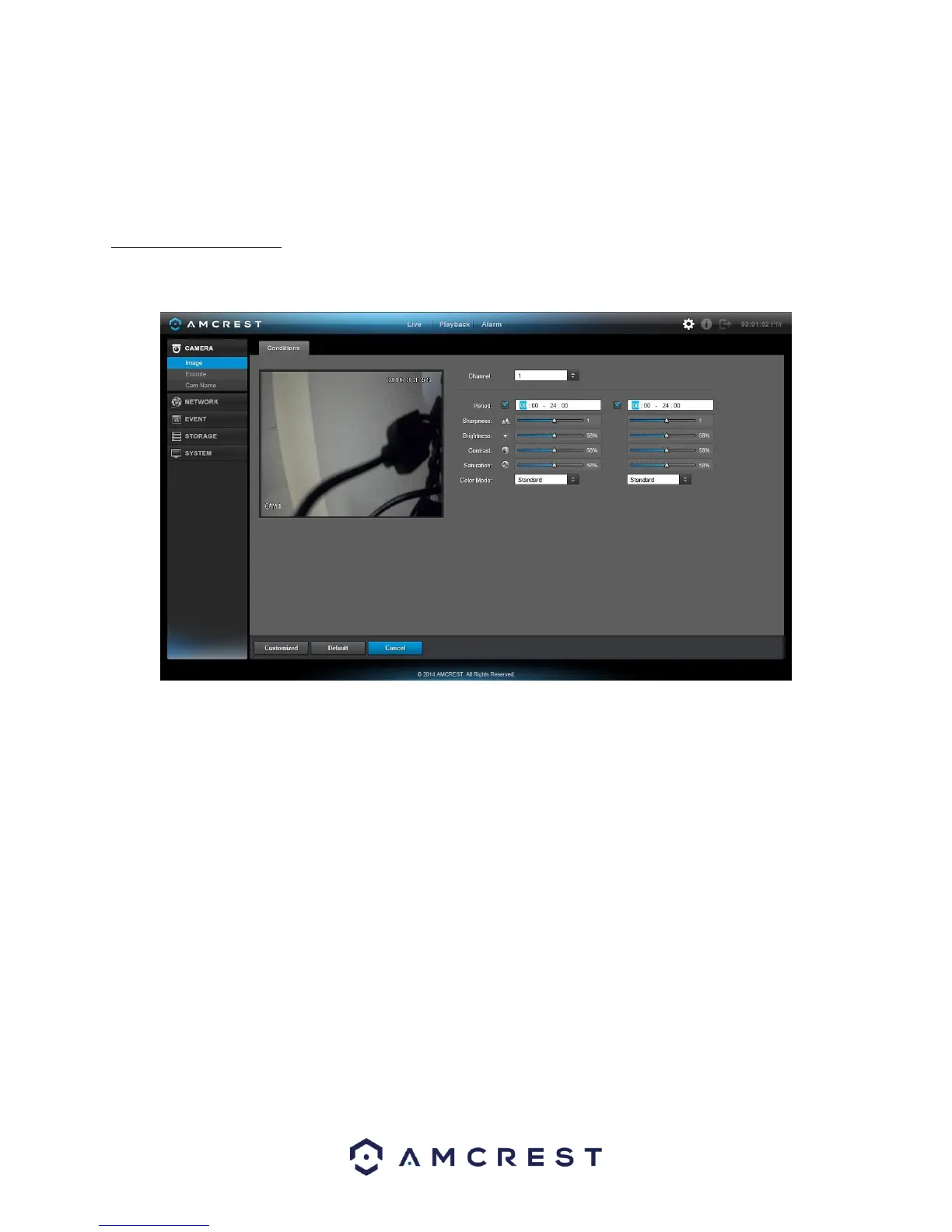
This screen is allows the user to adjust the image settings for each channel. See below for a screenshot of the
image settings screen:
Below is an explanation for each of the fields on the Image Settings screen:
• Channel: This dropdown box allows the user to select a channel from the dropdown list to modify.
• Period: This dropdown box allows the user to select a period for which to modify the image settings. The user
can configure up to 2 periods to encompass the entire 24 hours in the day. Click the checkbox to enable the
period image settings changes.
• Saturation: This slider is used to adjust monitor window saturation. The value ranges from 0 to 100. The
default value is 50. The larger the number, the strong the color is. This value has no effect on the general
brightness of the whole video. The video color may become too strong if the value is too high. For the grey
part of the video, the distortion may occur if the white balance is not accurate. Please note the video may not
be clear if the value is too low. The recommended value ranges from 40 to 60.
• Brightness: This slider is used to adjust monitor window brightness. The value ranges from 0 to 100. The
default value is 50. The larger the number, the brighter the video is. When you input the value here, the bright
section and the dark section of the video will be adjusted accordingly. You can use this function when the
whole video is too dark or too bright. Please note the video may become hazy if the value is too high. The
recommended value ranges from 40 to 60.
• Contrast: This slider is used to adjust monitor window contrast. The value ranges from 0 to 100. The default
value is 50. The larger the number is, the higher the contrast is. You can use this function when the whole
video brightness is OK but the contrast is not correct. Please note the video may become hazy if the value is
too low. If this value is too high, the dark section may lack brightness while the bright section may over expose.
The recommended value ranges from 40 to 60.



 To Next Page