92
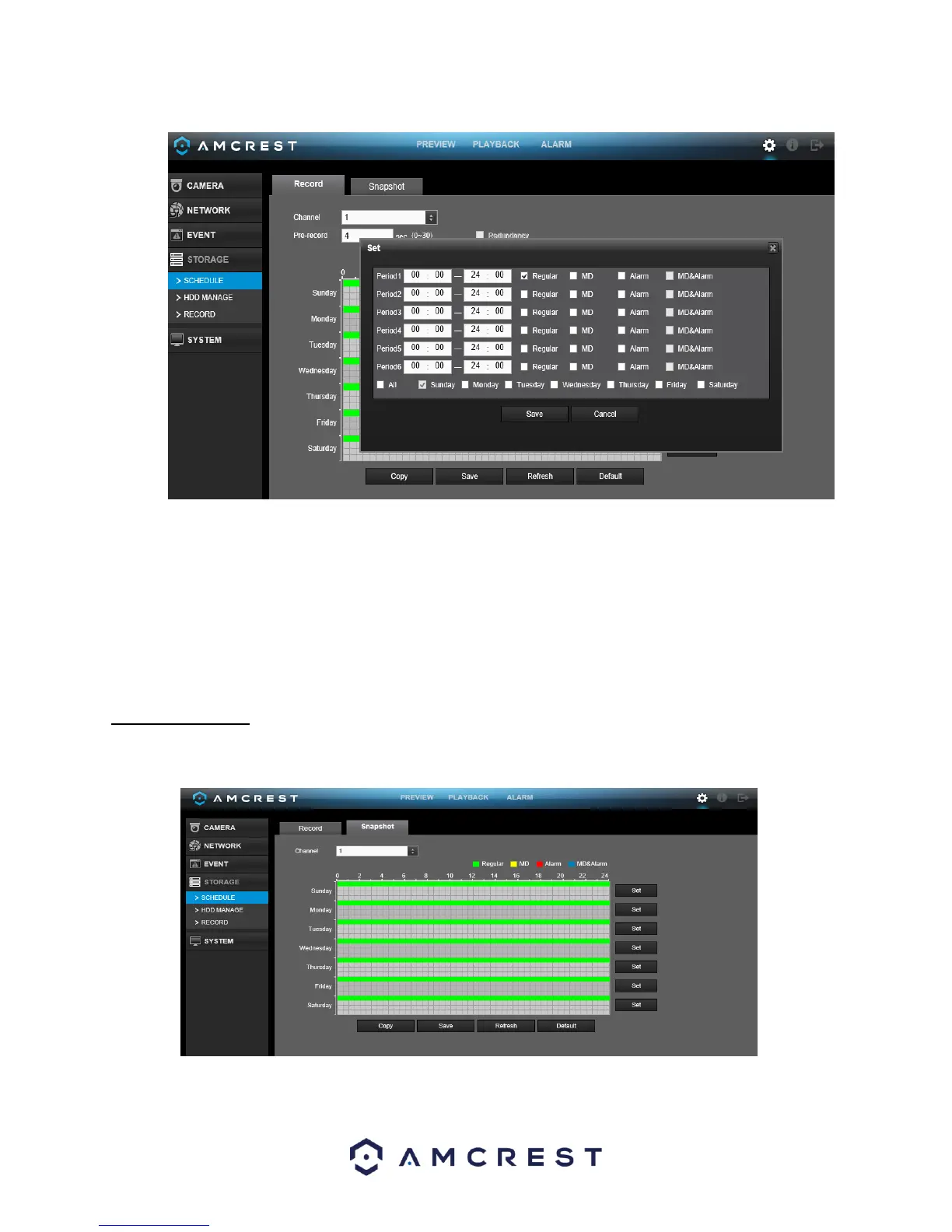
Click the text next to each period to edit the time you wish to set for that specific period. Next, choose which
record type you would like to set for each period. You will also need to select the days you wish to apply these
settings. To select all days, select the all options to apply the settings to all days of the week.
To revert to default settings, click the Default button near the bottom left hand corner. To copy settings to
another channel, click Copy near the bottom left hand corner. To confirm settings, click the OK button near the
bottom right hand corner. To cancel any modifications, click the Cancel button near the bottom right hand
corner. To apply the settings, click the Apply button near the bottom right hand corner.
4.10.4.2 Snapshot
This tab is where snapshot recording settings are configured. Below is a screenshot of the Snapshot settings
screen:



 To Next Page