94
To revert to default settings, click the Default button near the bottom left hand corner. To copy settings to
another channel, click Copy near the bottom left hand corner. To confirm settings, click the OK button near the
bottom right hand corner. To cancel any modifications, click the Cancel button near the bottom right hand
corner. To apply the settings, click the Apply button near the bottom right hand corner.
Note: Alarm activated snapshots have higher recording priority than scheduled snapshots. If there is an overlap,
alarm activated snapshots will take precedence.
Note: To enable FTP upload of snapshots, connection to an FTP server must be configured. See section 4.10.2.7
for more information.
To revert to default settings, click the Default button near the bottom left hand corner. To copy settings to
another channel, click Copy near the bottom left hand corner. To confirm settings, click the OK button near the
bottom right hand corner. To cancel any modifications, click the Cancel button near the bottom right hand
corner. To apply the settings, click the Apply button near the bottom right hand corner.
4.10.4.3 HDD Manage
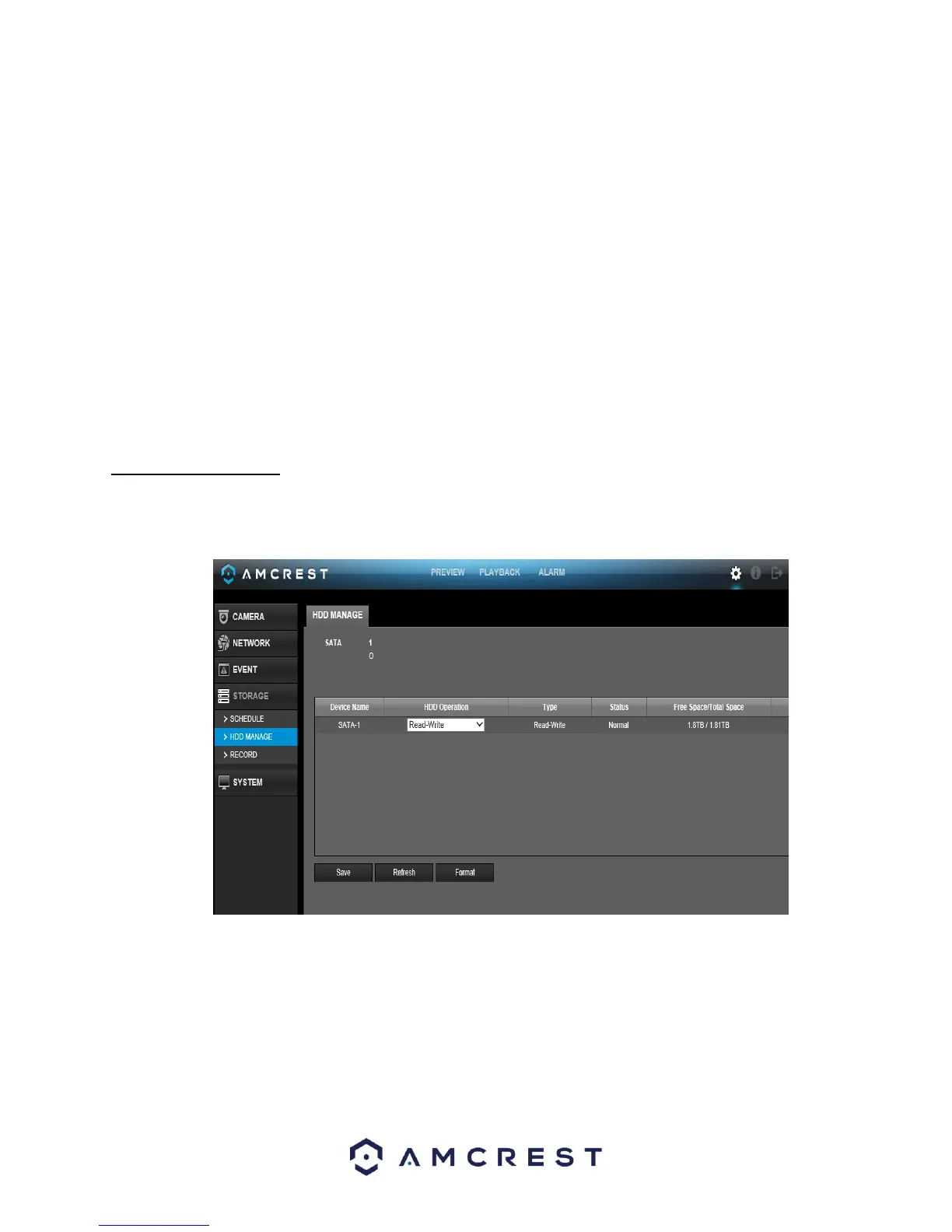
This screen is meant to help the user monitor the DVR’s hard drives. Using this screen, the user can see the
current HDD type, status, and capacity. The user can also use this screen to format hard drives and change hard
drive properties. Below is a screenshot of the HDD Manage settings screen:
Below is an explanation of the fields on the HDD Manage settings screen:
• SATA: o This shows how many hard drives the system can support. o 1 here means
the system supports a maximum of 1 HDD.
o The symbol on the next row shows the status of the connected hard drive.
▪ 0 means that the current HDD is functioning normally.
▪ X means there is an error with the hard drive connection, or that there is no
connected hard drive.
▪ ? means that the hard drive is damaged and should be replaced.



 To Next Page