– 33 –
FIRE ALARM SYSTEM (IF INSTALLED)
General
Your fire alarm system (if installed) is active 24 hours a day, providing continuous
protection. In the event of an emergency, the installed smoke and heat detectors will
automatically activate you security system, triggering a loud, interrupted sound from the
Keypad. An interrupted sound will also be produced by optional exterior sounders. A FIRE
message will appear at your Keypad and remain on until you silence and clear the alarm
display.
In Case Of Fire 1. Should you become aware of a fire emergency before your detectors sense the problem,
go to your nearest Keypad and press the single panic key (or panic key pair) assigned
as FIRE emergency (if programmed by the installer) and hold down for at least 2
seconds. The alarm will sound.
2. Evacuate all occupants from the premises.
3. If flames and/or smoke are present, leave the premises and notify your local Fire
Department immediately.
4. If no flames or smoke are apparent, investigate the cause of the alarm. The zone
descriptor of the zone(s) in an alarm condition will appear at the Keypad.
Silencing A Fire
Alarm
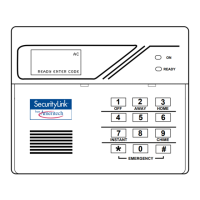
1. Silence the alarm by pressing the 1 key. To clear the alarm display, enter your
OFF
security code and press the 1 key again.
OFF
2. If the Keypad indicates a trouble condition after the second OFF sequence, check that
smoke detectors are not responding to smoke or heat producing objects in their vicinity.
Should this be the case, eliminate the source of heat or smoke.
3. If this does not remedy the problem, there may still be smoke in the detector. Clear it
by fanning the detector for about 30 seconds.
4. When the problem has been corrected, clear the display by entering your code and
pressing the OFF [1] key.


 To Next Page
