44
Upgrade version 5.5.0
(February 1999)
A1. File transfer from A Machine to another one
Proceed as follows to transfer programs from the Master machine to the Slave machine:
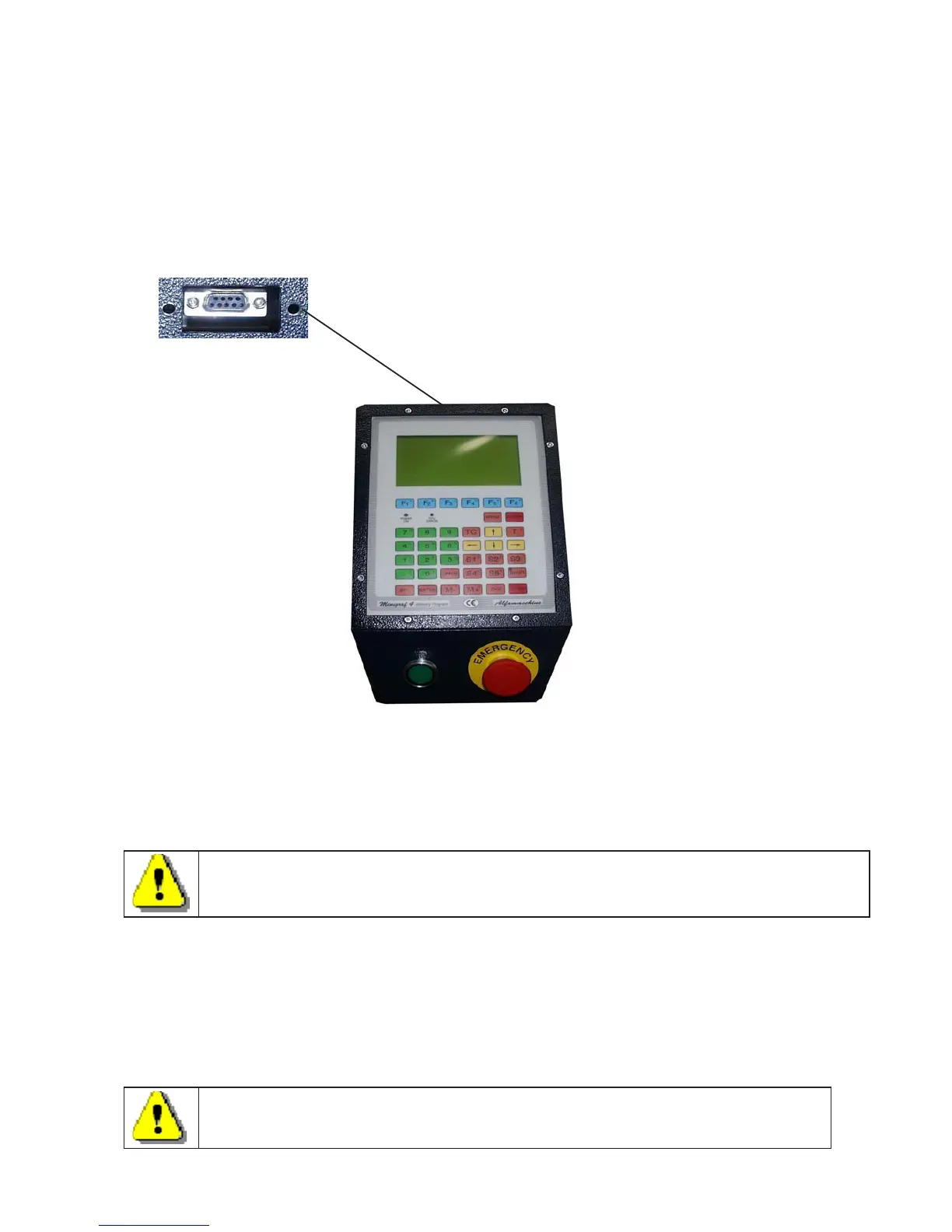
1. Connect the serial cable to the connectors ( Item A of figure 1) on both machines. The connectors
are located on the back side of the keypads.
A
2. Turn on both machines
3. Put the Slave machine (into which you will the copy programs to) on the main menu.
You can transfer :
a) A single program. (F1)
b) A block of programs (F2)
c) All of the programs filed in the memory (F3)
Before transferring any programs, the programs stored in the slave machine must be deleted
A.1.1 Transfer of a single program
To transfer a single program from the Master machine to the Slave Machine proceed
as follows on the MASTER machine:
- Press F4 in the main menu to display the programs filed in the machine
- By using the yellow arrows ( or by pressing f4) position the cursor on the program
to be transfered.
- Press F1 to transfer the program
The program that you just transfered to the Slave machine will occupy the
same position/line/code number as it occupied in the Master machine.



 To Next Page