EasyManua.ls Logo

AMSTRAD PC1640 - Bezel Exchange; LED Assembly Exchange

AMSTRAD PC1640
76 pages
Print Icon
To Next Page IconTo Next Page
To Previous Page IconTo Previous Page
Loading...
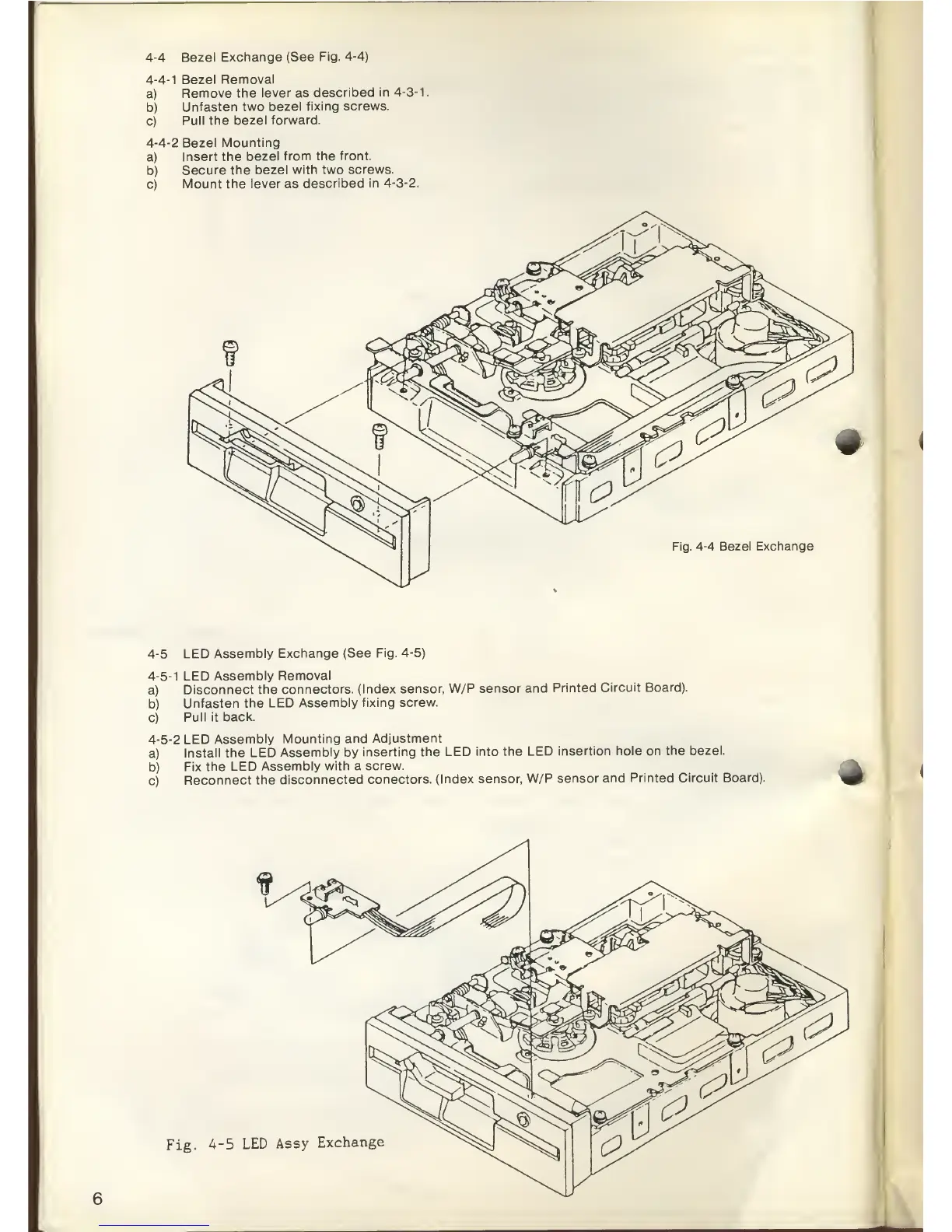
4-4
Bezel
Exchange
(See Fig.
4-4)
4-4-1
Bezel
Removal
a)
Remove the
lever as
described
in
4-3-1.
b)
Unfasten
two
bezel fixing
screws.
c)
Pull the
bezel
forward.
4-4-2
Bezel Mounting
a)
Insert the
bezel from the
front.
b)
Secure the
bezel with two
screws.
c)
Mount the lever as
described in
4-3-2.
Fig.
4-4
Bezel
Exchange
4-5
LED
Assembly Exchange (See
Fig.
4-5)
4-5-1
LED
Assembly
Removal
a)
Disconnect
the
connectors.
(Index sensor,
W/P sensor
and
Printed Circuit
Board).
b)
Unfasten
the LED
Assembly
fixing screw.
c)
Pull it
back.
4-5-2
LED
Assembly
Mounting
and
Adjustment
a)
Install the LED
Assembly
by
inserting the LED
into
the LED
insertion hole
on the bezel.
b)
Fix the LED
Assembly with a
screw.
c)
Reconnect
the
disconnected
conectors.
(Index
sensor,
W/P sensor
and Printed Circuit
Board).
Fig.
4-5
LED
Assy
Exchange

Related product manuals