EasyManua.ls Logo

AMSTRAD PC1640 - Head Assembly Exchange

AMSTRAD PC1640
76 pages
Print Icon
To Next Page IconTo Next Page
To Previous Page IconTo Previous Page
Loading...
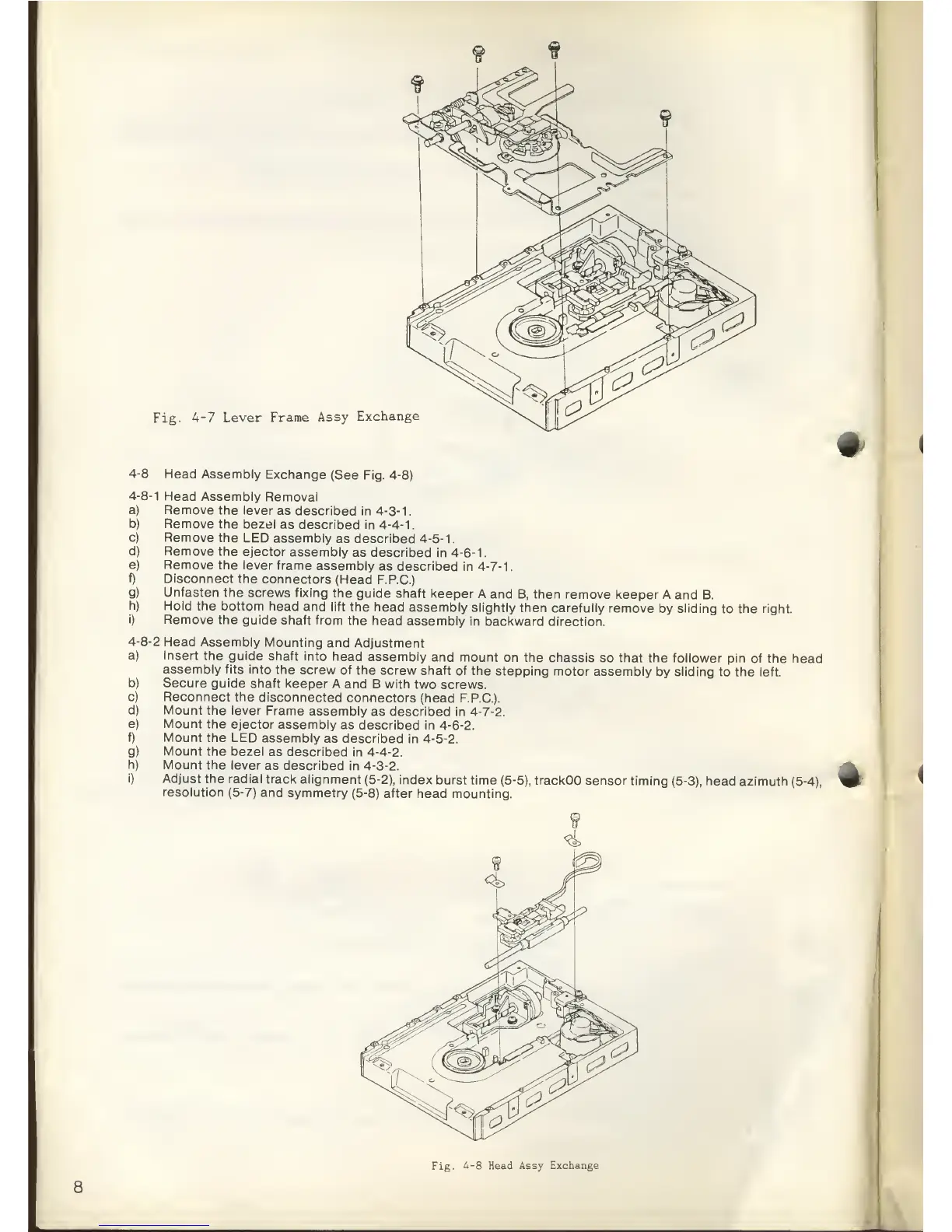
Fig.
4-7
Lever
Frame
Assy
Exchange
#
Head Assembly
Removal
Remove the
lever
as described
in
4-3-1
.
Remove
the bezel
as described
in
4-4-1.
Remove
the LED
assembly
as
described
4-5-1.
Remove the
ejector assembly
as
described in
4-6-1.
Remove the
lever
frame
assembly
as described
in
4-7-1
.
Disconnect
the
connectors
(Head
F.P.C.)
Unfasten the
screws
fixing the
guide
shaft keeper
A and
B, then remove
keeper A and
B.
Hold the
bottom head
and lift
the head
assembly slightly
then
carefully remove
by
sliding
to the right.
Remove the
guide
shaft from
the head
assembly in
backward
direction.
Head
Assembly
Mounting
and
Adjustment
Insert
the guide
shaft into
head
assembly and
mount
on the chassis
so that the
follower pin of
the head
assembly
fits into the
screw
of the screw
shaft of
the stepping
motor
assembly
by
sliding
to the left.
Secure guide
shaft keeper
A and
B with two
screws.
Reconnect the
disconnected
connectors (head
F.P.C).
Mount the
lever
Frame
assembly
as described in
4-7-2.
Mount the
ejector
assembly
as described
in
4-6-2.
Mount the
LED
assembly
as described in
4-5-2.
Mount the
bezel
as described in
4-4-2.
Mount the lever
as described in
4-3-2.
Adjust
the radial
track
alignment
(5-2),
index
burst time
(5-5),
trackOO
sensor timing
(5-3),
head
azimuth
(5-4),
resolution
(5-7) and symmetry
(5-8) after head
mounting.
8
Fig.
4-8
Head Assy
Exchange

Related product manuals