EN 90 2017/06 Rev. 2.0
OptiBean (XL) Touch
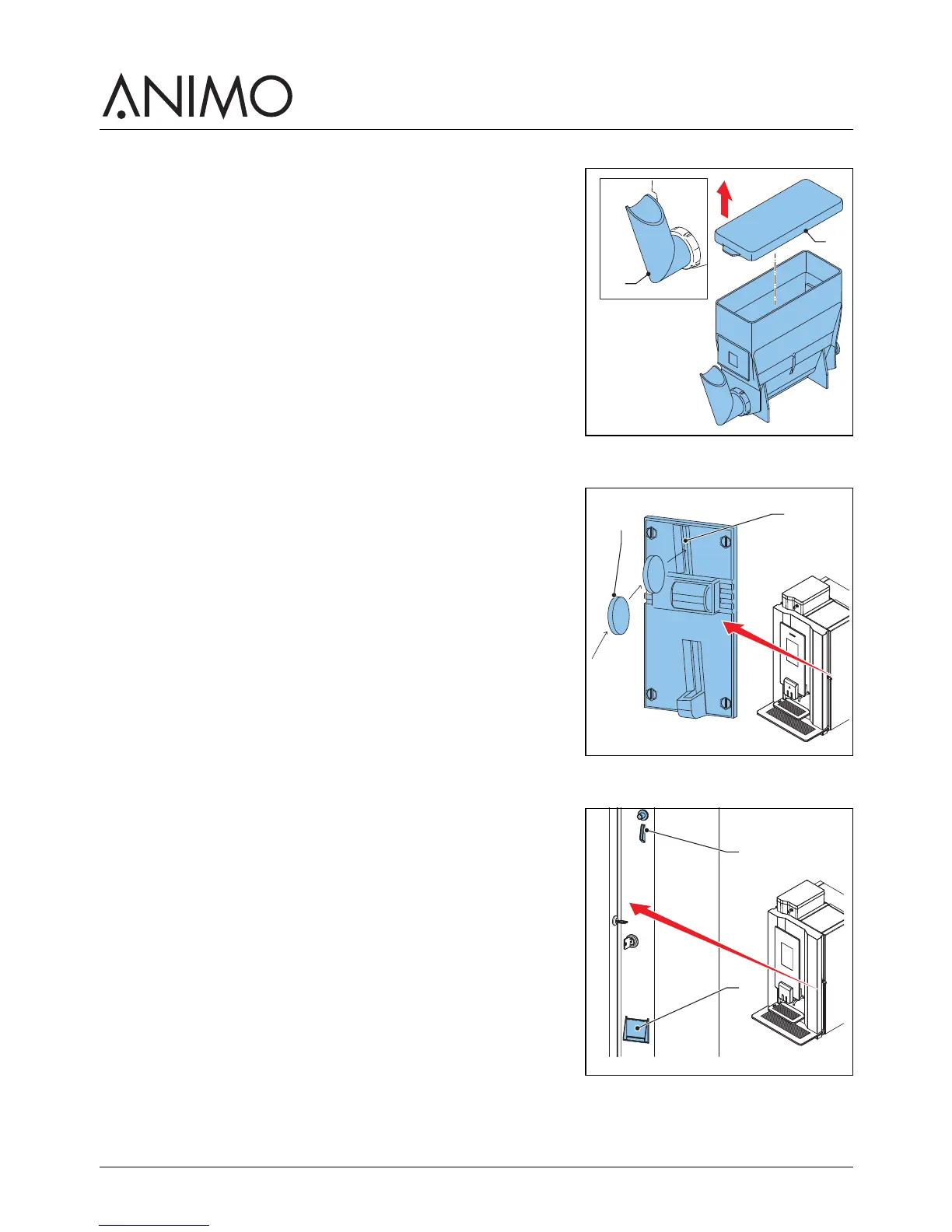
4 Remove the cover (C).
5 Fill the instant canister. Make sure that you do not overfill the
instant canister.
6 Replace the cover.
7 Replace the canister into the socket.
8 Make sure the canister locks into place with the pin in the
hole.
9 Turn the canister’s outlet downwards (A).
10 Close the machine door.
4.8 Using the coin mechanism (optional)
1 Place a cup on the tray.
2 Use the touchscreen to select a recipe or tap on the hot
water icon.
3 Insert the correct amount of money (A) into the coin
mechanism (B). The touchscreen indicates when sufficient
money is inserted.
4 Use the selectors on the touchscreen to set the strengths for
the recipe, sweetener and milk.
5 Tap the start dispensing icon.
4.9 Using the coin changer (optional)
1 Place a cup on the tray.
2 Use the touchscreen to select a recipe or tap on the hot
water button.
3 Insert the correct amount of money (A). The touchscreen
indicates if sufficient money is inserted.
4 Use the selectors on the touchscreen to set the strengths for
the recipe, sweetener and milk.
5 Tap the start dispensing icon.
6 If required remove the change from the machine (B).



 To Next Page