Front Panel Overview
Spectrum Master UG PN: 10580-00277 Rev. E 2-3
2-3 Front Panel Overview
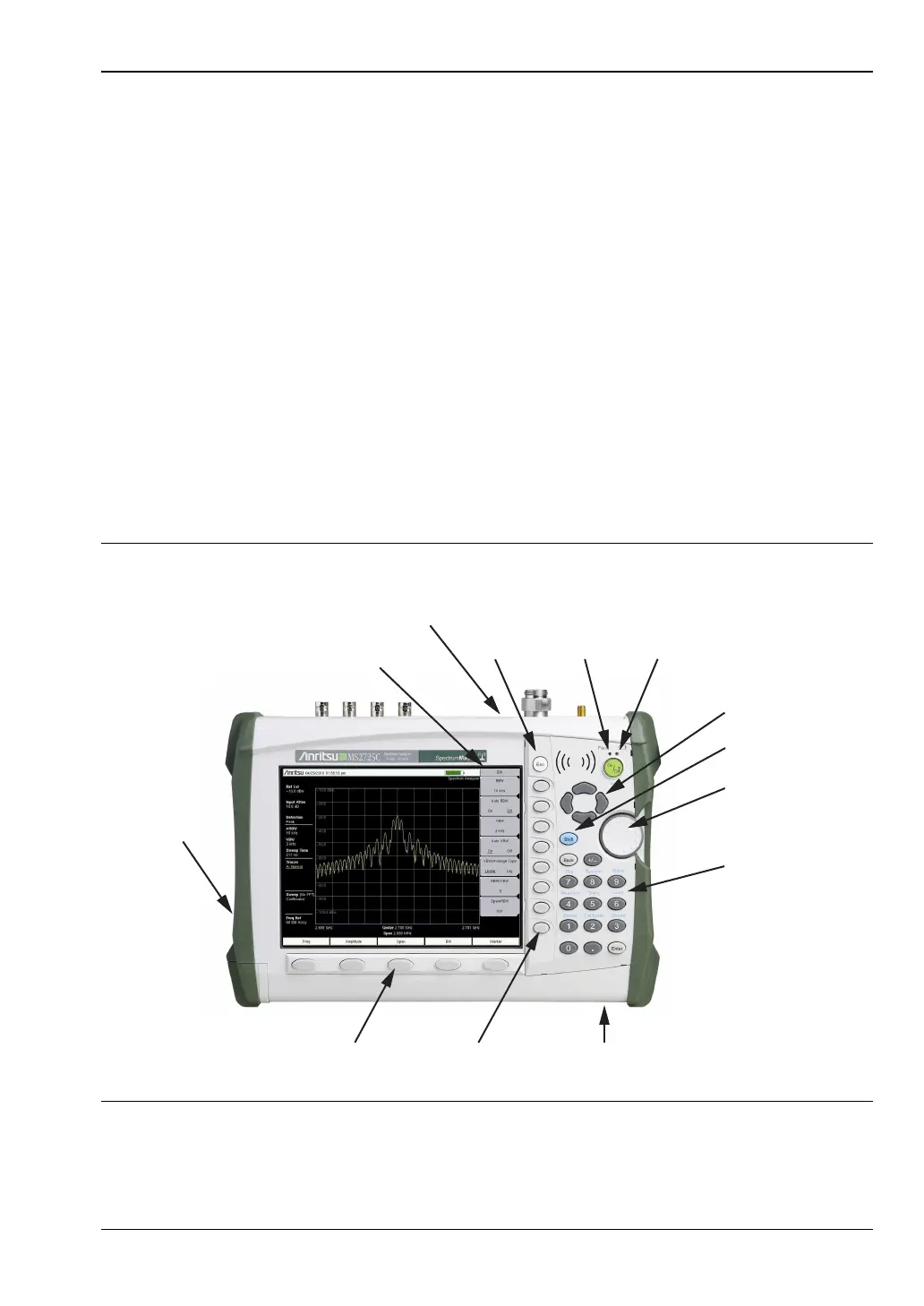
The Spectrum Master menu-driven interface is easy to use and requires little training. Hard
keys on the front panel are used to initiate function-specific menus. Five main menu keys are
located below the display. These keys vary in function depending upon the selected mode of
instrument operation.
A rotary knob and 21 hard keys are located to the right of the measurement display. Nine of
the hard keys are dual purpose, depending upon the current mode of operation. The
dual-purpose keys are labeled with a number on the key itself. The alternate function is
printed on the panel above each of these nine keys. Use the shift key to access the functions
that are printed on the panel. The Escape key (which is used for aborting data entry) is the
round button located above the submenu keys. The rotary knob, the four arrow keys, and the
keypad can be used to change the value of an active parameter. The rotary knob can also be
pressed to duplicate the action of the Enter key.
Arranged in a vertical column on the instrument case and along the right edge of the
measurement display are 8 submenu keys. They change function depending upon the current
menu selection. The current submenu key function is indicated in the active function block
(submenu key labels) on the right edge and within the measurement display. An example of
the keys is shown in Figure 2-2.
Figure 2-2. Front Panel Overview
Fan
Inlet
Submenu
Keys
Main Menu
Keys
Battery
Charge
LED
Charge
Fault
LED
Active Menu
Fan
Exhaust
Port
Shift Key
Arrow Keys













 To Next Page