Managing Files
Spectrum Master UG PN: 10580-00277 Rev. E 4-3
Copying Files
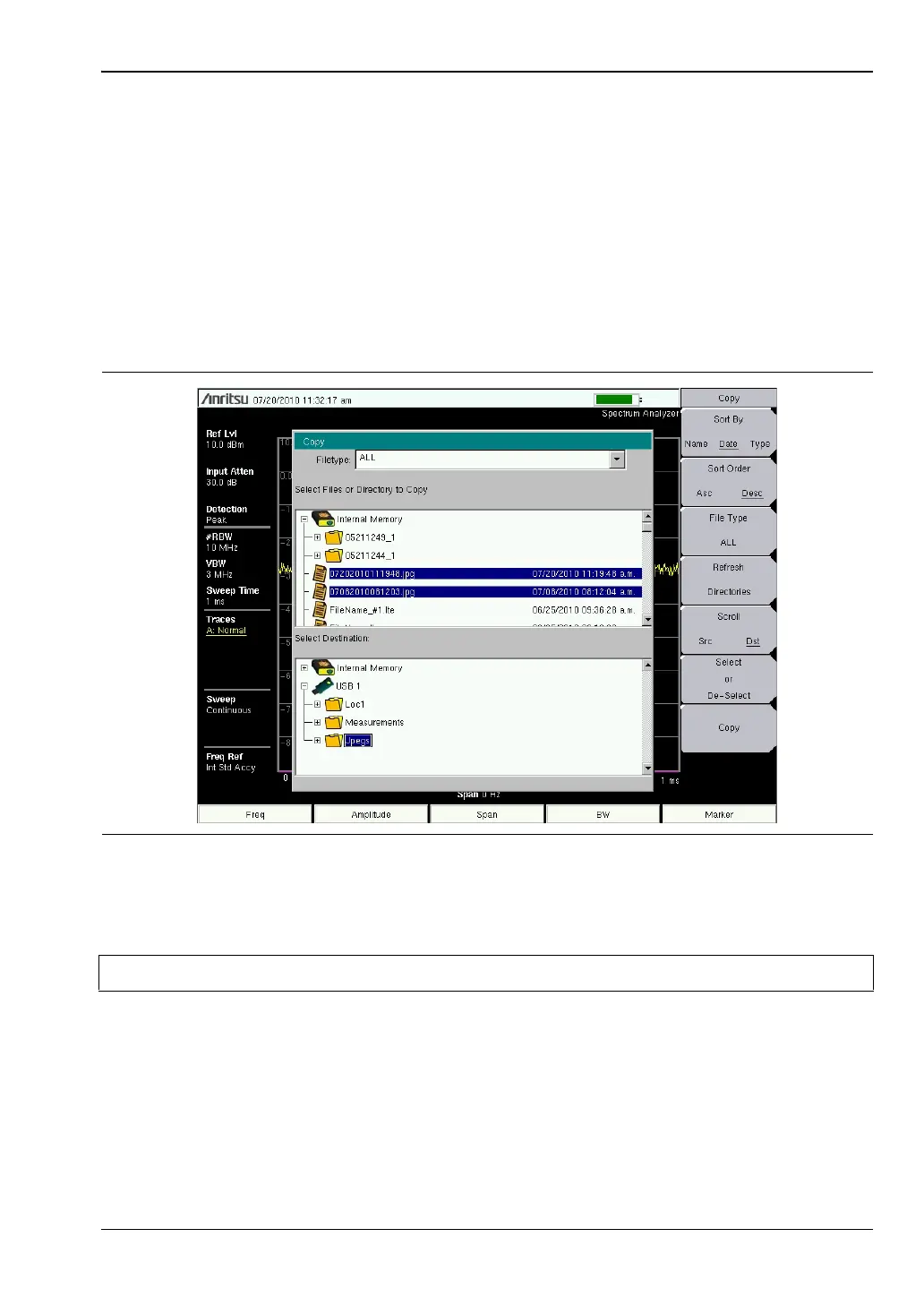
The steps below detail copying a file from internal memory to an external flash drive. Select
the files to copy in the top window and the location for the files to be copied to in the bottom
window (Figure 4-2). Refer to the “Copy Menu” on page 4-12 for additional information.
1. Insert a USB drive into either USB Type A port of the Spectrum Master.
2. From the File main menu, press the Copy submenu key. The Copy submenu and Copy
dialog box are displayed.
3. Select the file(s) to copy. To select multiple files, highlight the first then press the Select
or De-Select key to keep the file selected. The file will be outlined in blue (Figure 4-2).
Repeat with all the files to copy.
Figure 4-2. Two .jpg Files Ready to Copy from Internal Memory to the USB Drive, Jpeg Folder
Note Use the Left/Right arrow keys to Collapse/Expand folders.













 To Next Page