Secondary Function Menus
Spectrum Master UG PN: 10580-00277 Rev. E 2-7
2-6 Secondary Function Menus
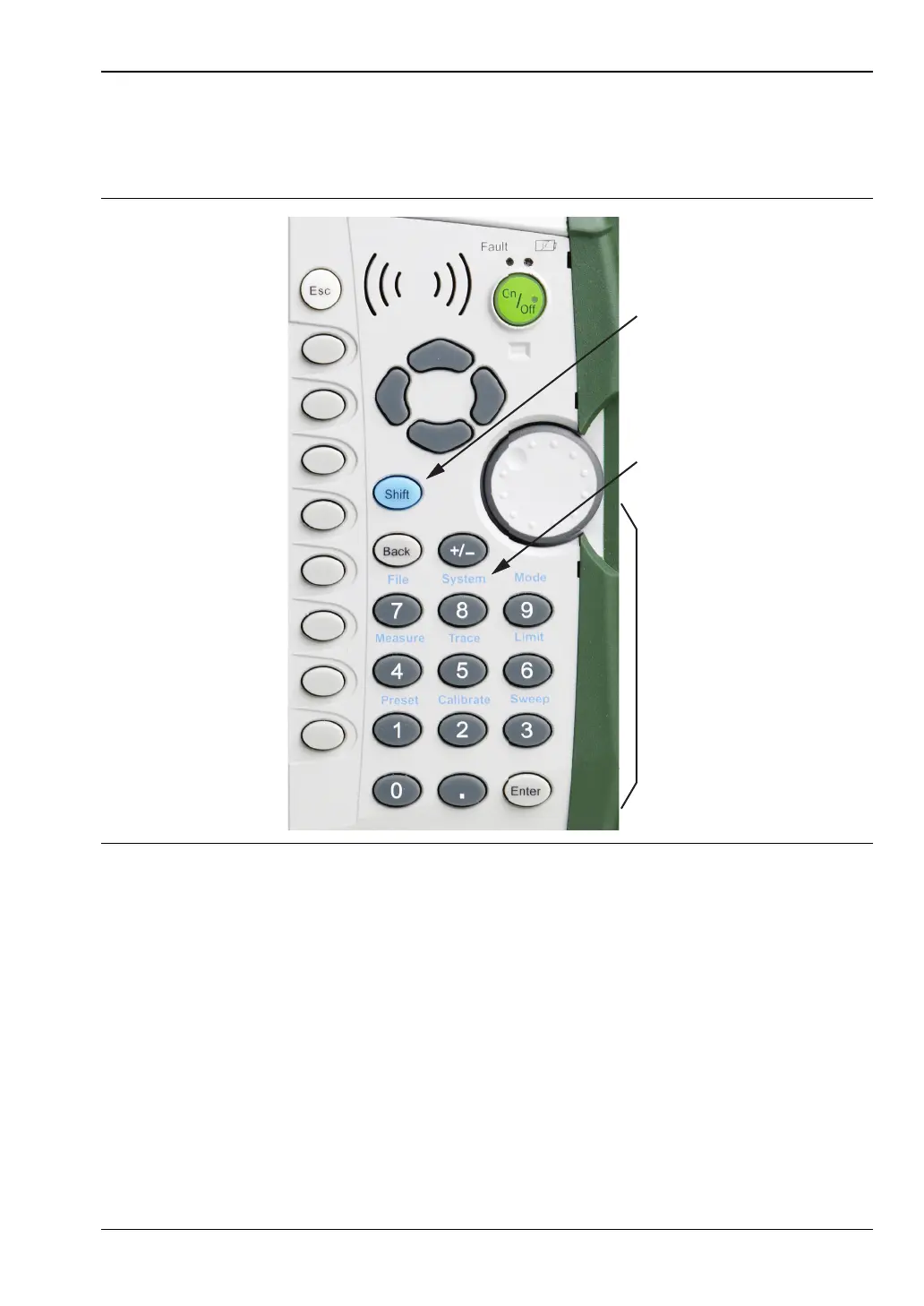
Pressing the Shift key and then a number key selects the menu function that is printed in
blue characters above the number key (Figure 2-5).
Not all Secondary Function Menus are active in various operation Modes. If any one of these
9 menus is available in a specific instrument Mode of operation, then it can be called from the
number keypad. It may also be available from a main menu key or a submenu key. The
Secondary Function Menus are: Preset (1), Calibrate (2), Sweep (3), Measure (4), Trace (5),
Limit (6), File (7), System (8), and Mode (9).
Figure 2-5. Keypad and Secondary Function Menus
Shift
Key
Number
Keypad
Secondary
Menu
Function
“System (8)”













 To Next Page