Spectrum Master UG PN: 10580-00277 Rev. E 3-1
Chapter 3 — Quick Start Guide
3-1 Introduction
This chapter provides a brief overview of the Anritsu MS272xC Spectrum Master. The intent
of this chapter is to provide a starting point for making basic measurement setups. This
chapter describes setup, configure frequency, bandwidth, and amplitude before configuring
your measurement setups. After measurements are taken, refer to section “Managing Files”
on page 4-1 for a description of saving, recalling, and deleting measurement files. For more
detailed information about specific measurements, refer to the measurement descriptions in
the measurement guides for the specific instrument mode and analyzer technology (such as
Spectrum Analyzer, WiMAX, or 3GPP). Refer to Appendix A, “Measurement Guides”, for a
list of these measurement guides and their Anritsu part numbers.
The Spectrum Analyzer Measurement Guide includes sections that describe resolution
bandwidth, video bandwidth, sweep, and attenuator functions. For example, in the
Spectrum Master, Resolution Bandwidth is determined by the intermediate frequency (IF)
filter bandwidth. The spectrum analyzer traces the shape of the IF filter as it tunes past a
signal. If more than one IF filter is used in a spectrum analyzer, then the narrowest one
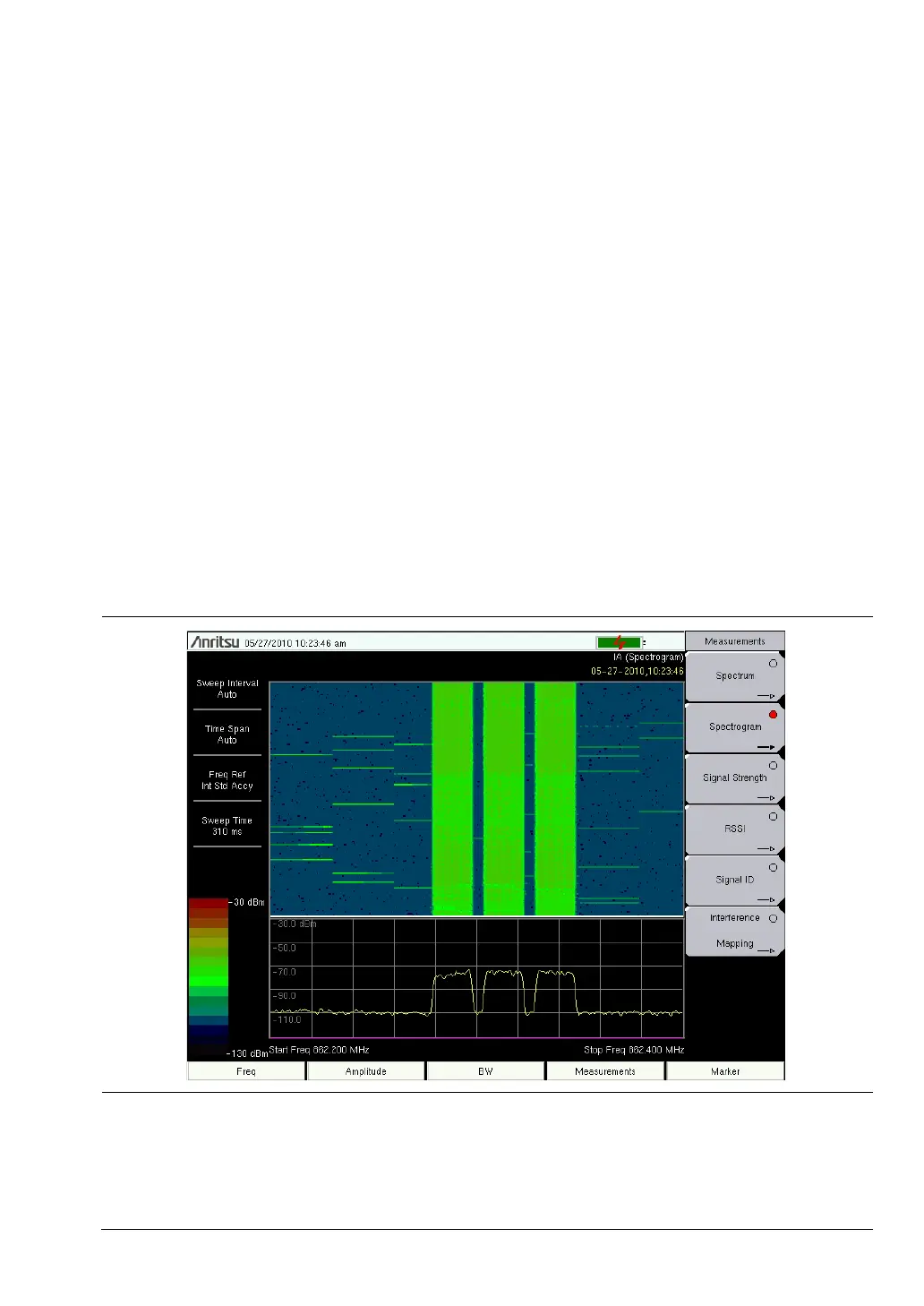
dominates and is considered the resolution bandwidth. Figure 3-1 is an example of a
spectrogram display.
Figure 3-1. Spectrogram Example













 To Next Page