4
Toolbars
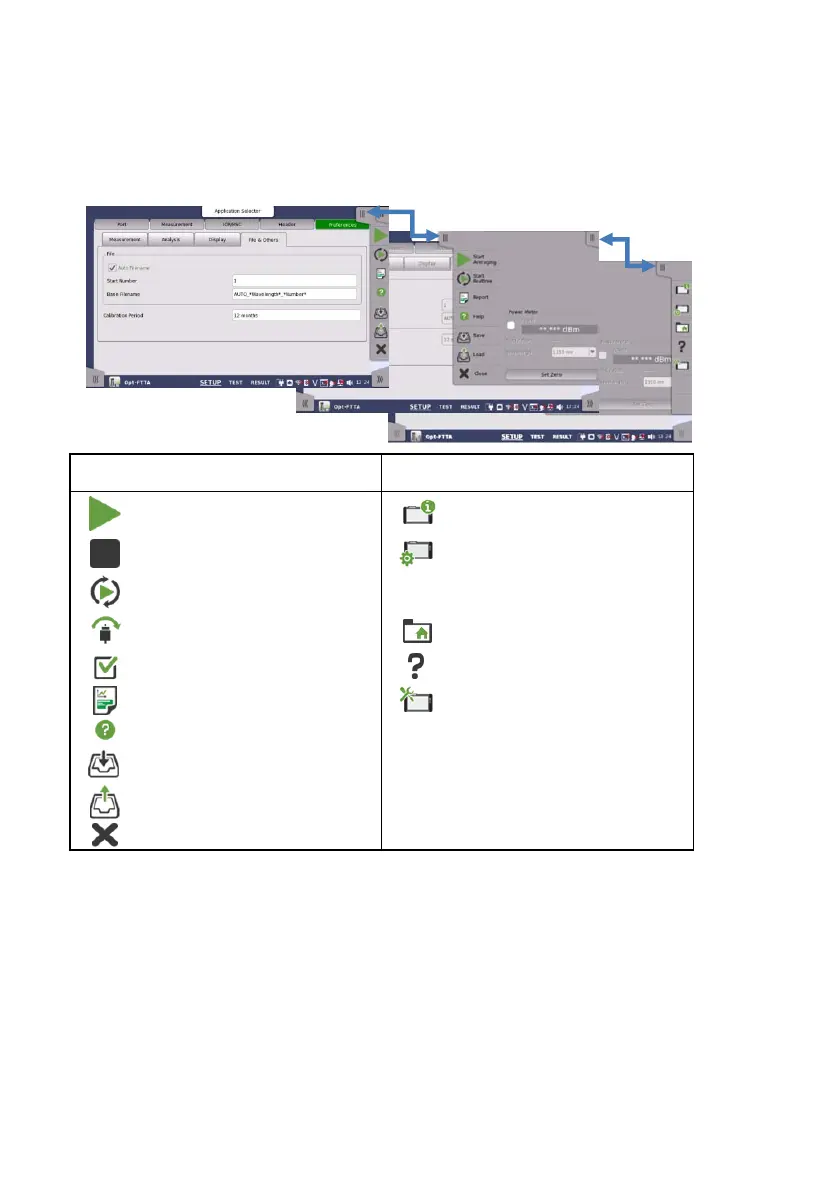
General functionalities such as start/stop of test, creation of the report,
displaying the help etc. are placed in expandable toolbars.
Application toolbar Instrument toolbar
Start Averaging
Instrument information
Stop the measurement
Network setting and
General settings (ex.
Date, Language)
Start Realtime*
1
Skip a measurement*
2
File manager
Accept the result*
2
Displays Help
Create a report Resource monitoring
Displays Help
Save a file
Load a file
Close the application
*1: Appears on Standard OTDR and FTTA application.
*2: Appears on Construction application.
Basic Screens and Navigation
You can navigate freely both horizontally and vertically between the
various screens, as shown in the figure in next page. Set the
measurement conditions on the Setup screen, and configure the test
setups on the Test screen. Touching the Start Averaging or Start Realtime
on the Application toolbar will display the Result screen.














 To Next Page