21
OLTS (Optical Loss Test Set)
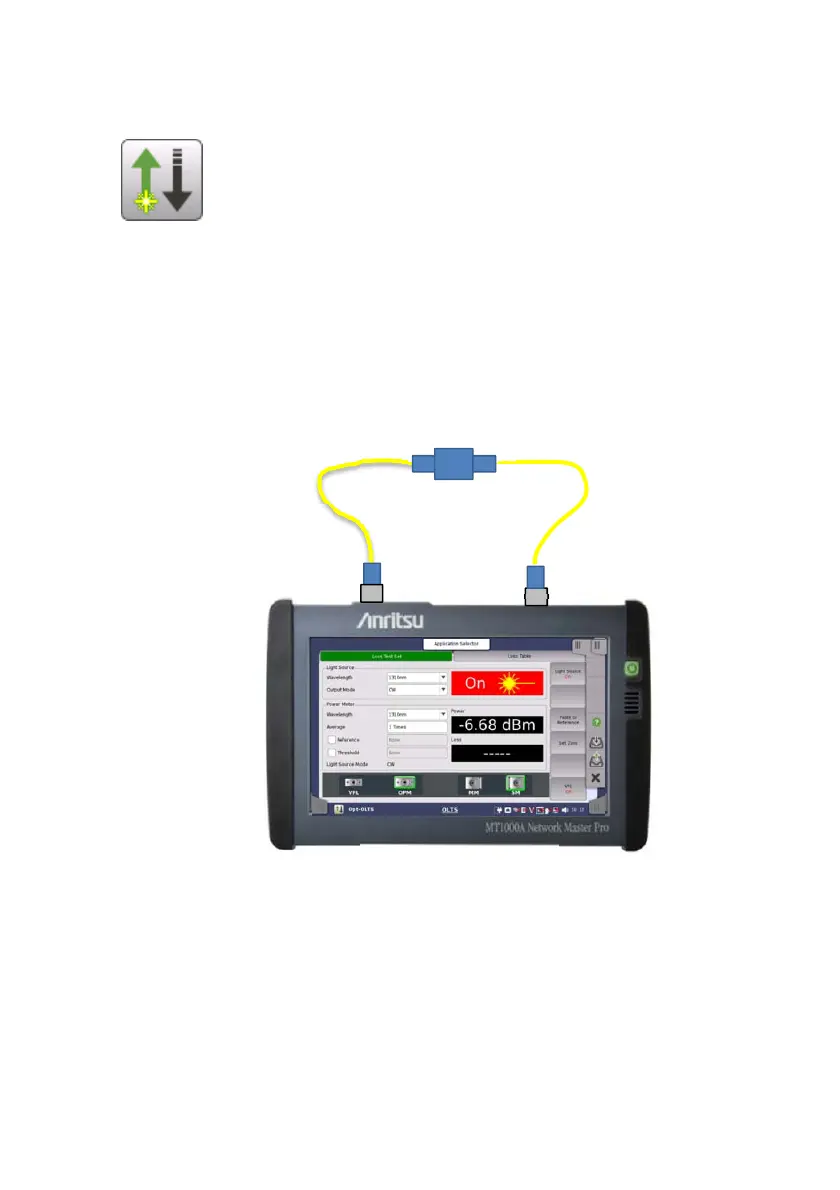
OLTS applications allows users to measure an optical fiber
loss. The optical power and the optical loss are displayed as
the test results.
To measure an optical loss
1. Touch OLTS in the Application selector.
2. Connect the light source (OTDR/OLS) and OPM via adaptor.
Confirm that fiber type and the core diameter are appropriate.
To measure the level including the loss of the adaptor, connect
adaptor between the optical fibers.
3. Set Wavelength and Output Mode of the Light Source.
4. Set Wavelength of Power Meter to the same value of step 1.
5. Select Reference check box.
6. Touch Light Source soft key and set to On.
7. After measured value appears in "Power", touch Paste to Reference
soft key. The power value is copied to the Reference field.
Adaptor
OTDR/OLS
Optical fiber
Network Master
OPM














 To Next Page