27
File saving and loading
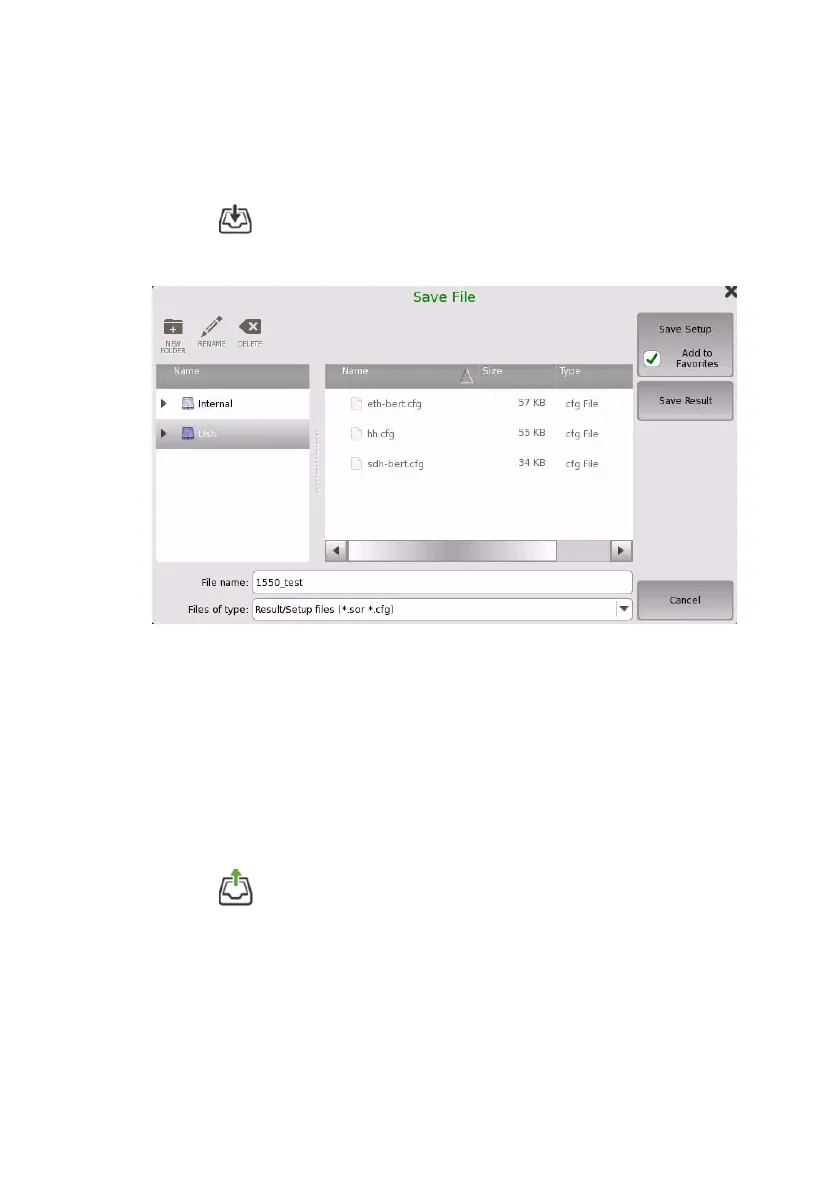
Saving the file
1. Touch on the Application toolbar.
2. Touch the File name field to enter the file name.
3. Touch Save Setup to save the test setup parameters.
The test setup is appended to Favorites in the Application Selector
if selecting Add to Favorites check box.
Touch Save Results to save the test results and the test setup
parameters.
Loading the file
1. Touch on the Application toolbar.
2. Touch the file in the list to select the file.
Selecting File type will filter the file names on the list.





 To Next Page