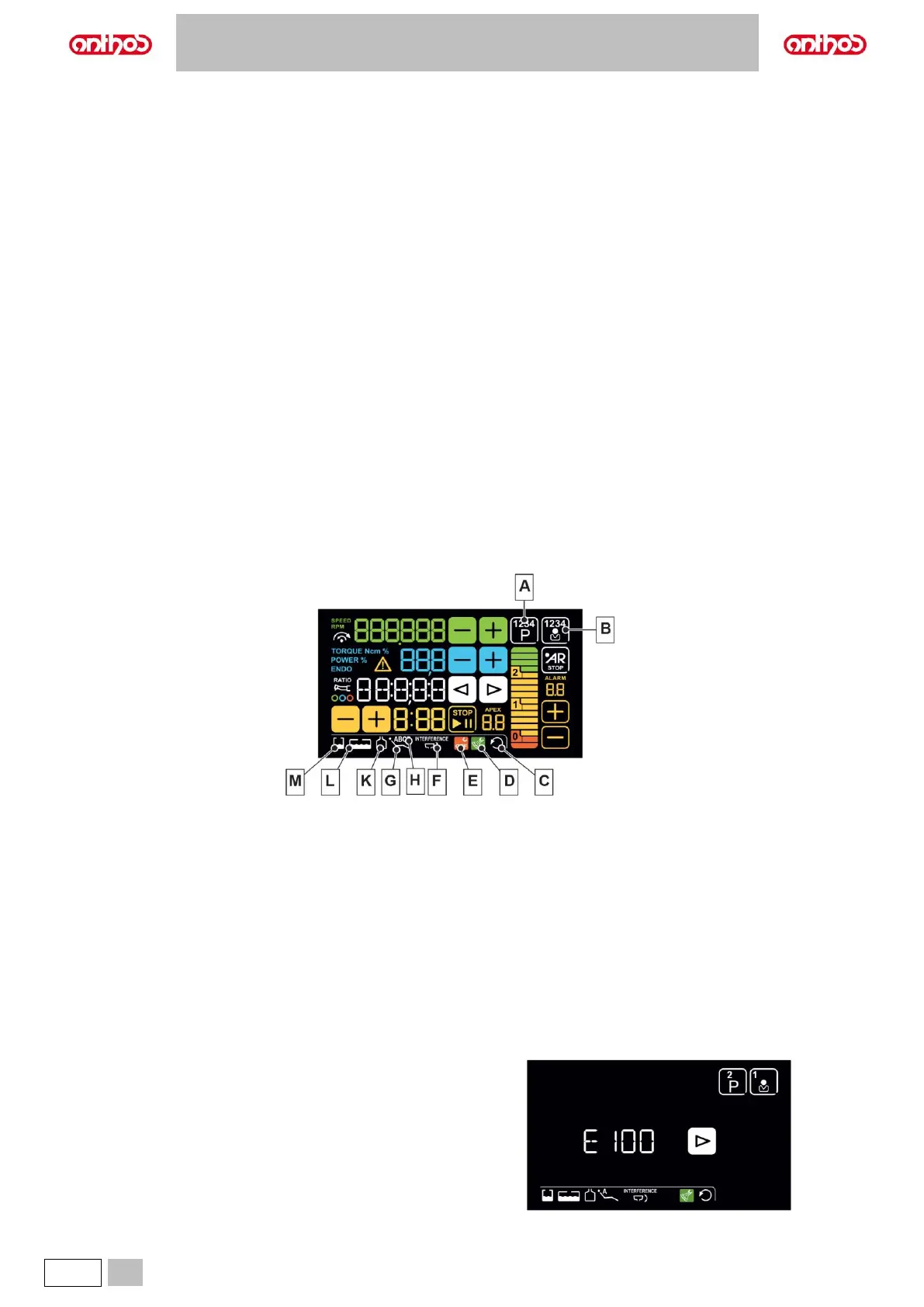
Description of CONSOLE buttons:
Button lock
(pressed and held for at least 5 sec. for
Clean function).
Button pressed shortly: recall stored
position “A”.
Button pressed and held: seat up.
Decreases settable values.
Stopwatch
(see paragraph 5.1.1.2.).
Button pressed shortly: recall stored
position “B”.
Button pressed and held: backrest up.
Increases settable values.
Operating mode selection.
(Micromotor and Scaler).
Short press: recall stored position “C”.
Long press: seat down.
Negatoscope light On/Off.
Reversing micromotor drill rotation
direction.
Button pressed shortly: Recall stored
position “D”.
Button pressed and held: backrest down.
Emergency position recall.
Dentist's board up button
(SIDE DELIVERY models)
or board brake release
(INTERNATIONAL - CART models).
Dental chair reset position (patient
entry/exit).
Dentist's board down button
(SIDE DELIVERY models)
or board brake release
(INTERNATIONAL - CART models).
Enabling dental chair position storage.
S.H.S. system enabling/disabling
(if system is installed).
Warning icons.
The DISPLAY shows a series of icons giving information on the dental unit operation.
Description of the warning icons:
Dental chair position set manually.
Dental chair stored position “A”, “B”, “C” or “D”.
Reverse micromotor rotation.
Independent water supply on.
Independent water supply tank in reserve
Instrument spray NOT active.
Disinfectant fluid tank in reserve.
Bowl inside interference area.
Standby condition.
After about 10 minutes of inactivity, the dental unit goes into standby mode.
Standard operating conditions will be resumed as soon as any operation is carried out.
Error / warning messages.
During the different operating steps, the system could detect some
malfunctions/faults of the dental unit.
In this case, two types of notices can be displayed on the console DISPLAY:
warning messages (W xxx) and error messages (E xxx) (see paragraph 10).
If the malfunction/fault is not dangerous, the dental unit continues working.
The message can be turned off by pressing any button on the console.



 To Next Page