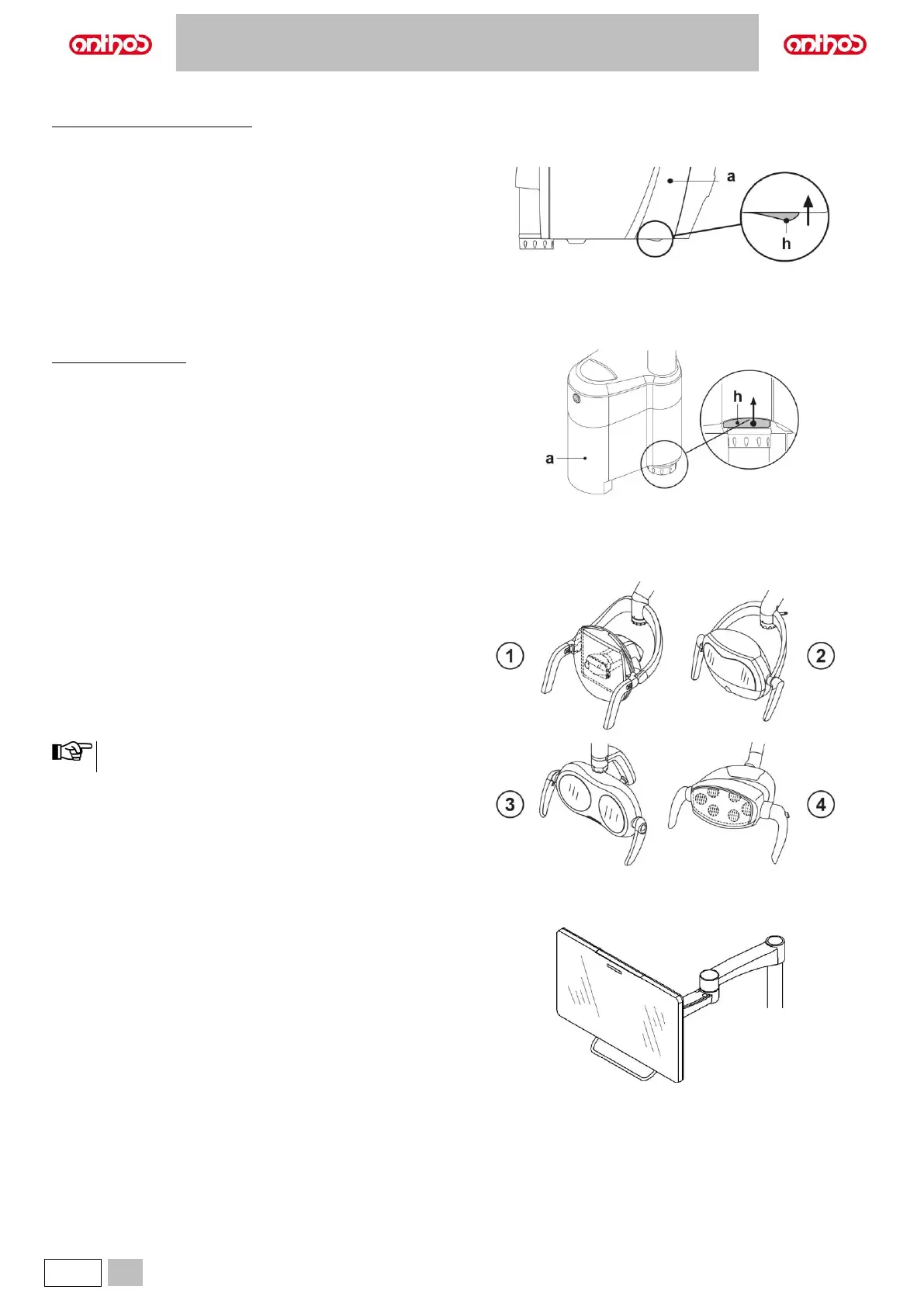
7.7. OPENING/CLOSING THE WATER UNIT SIDE COVER
Dental units model A5 and A6 PLUS
Opening the cover.
• disengage water unit side cover (a) by grasping handle (h) and pulling
it up.
Closing the cover.
• close the cover until you feel the mechanical locking of the handle (h).
Dental units of L6 model
Opening the cover.
• turn water unit side cover (a) after having released the special locking
handle (h).
Closing the cover.
• close water unit side cover, making sure it locks with handle (h).
8. ACCESSORIES
8.1. OPERATING LAMP
The operating light comes in 4 models:
1 Lamp with halogen light source, VENUS PLUS model.
2 Lamp with LED light source, VENUS PLUS-L model.
3 Lamp with LED light source, VENUS PLUS-L model MCT version.
4 Lamp with LED light source, VENUS e model.
The instructions for use and maintenance of the lamps are available in
PDF format and can be downloaded from the download area of the
www.anthos.com.
During the automatic movements of the dental chair, the lamp
automatically turns off to prevent blinding the patient.
8.2. MONITOR ON LAMP POLE
The instructions for use and maintenance of the monitor are provided with
the device.



 To Next Page