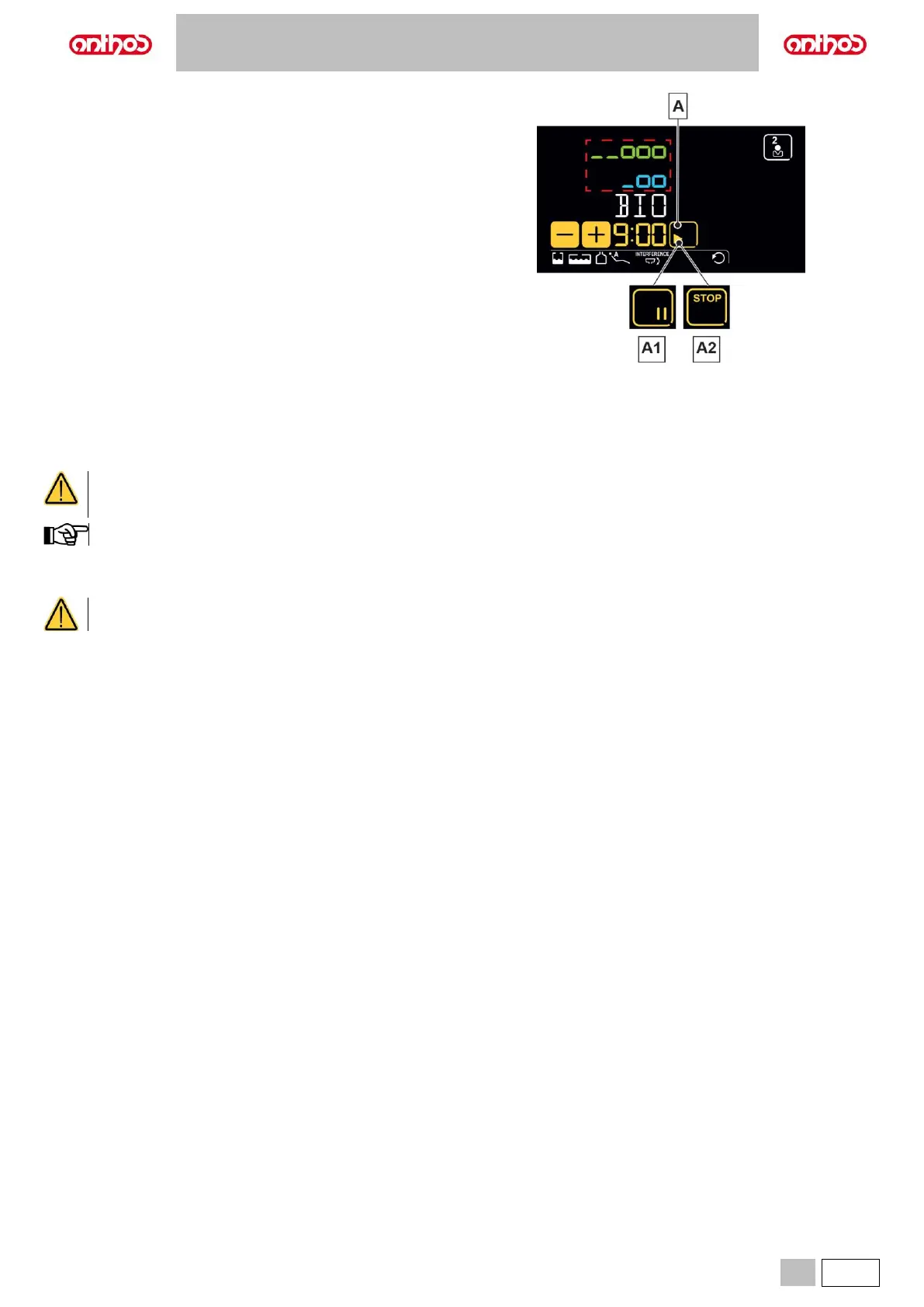
Performing the disinfection cycle.
• Start the automatic disinfection cycle by touching “PLAY” icon button (A)
on the LCD Touch DISPLAY or by pressing the “BIO” button on the
assistant's board.
• Now the system automatically performs the following operations:
- Emptying water ducts of instruments with air.
- Introduction of disinfectant fluid and starting of the counting of the
previously-set residence time.
- Once time has elapsed, start of a new duct emptying phase with
air.
- Ducts flushing with mains water or with independent supply fluid
(only if BIOSTER S system is installed and active).
Disinfection cycle interruption.
• Touch “PAUSE” icon button (A1) to interrupt the disinfection cycle at any
time.
• Touch the "STOP” icon button (A2) within 5 seconds to stop the
disinfection cycle in progress and cancel it definitively.
After 5 seconds, touch “PAUSE” icon button (A1) to resume disinfection
cycle from where it was interrupted.
PEROXY Ag+ storage.
For proper PEROXY Ag+ storage, follow the manufacturer’s instructions given on the package.
It is important to keep the package tightly closed and stored in a cool place at a temperature not exceeding 25°C.
Never leave PEROXY Ag+ or oxygenated water in the tank (a) for more than one month.
After your absence from the surgery for long periods of time (holidays), completely empty the tank (a) before restarting the dental
unit.
Warning messages on DISPLAY.
If system detects a malfunction, a warning message will be displayed (see paragraph 10).
In case of irregular interruption of the disinfection cycle, the equipment will stay in lockout condition until the disinfection cycle is
run again or a flushing cycle is carried out.



 To Next Page