4 PROGRAMMING AN ACCESS POINT
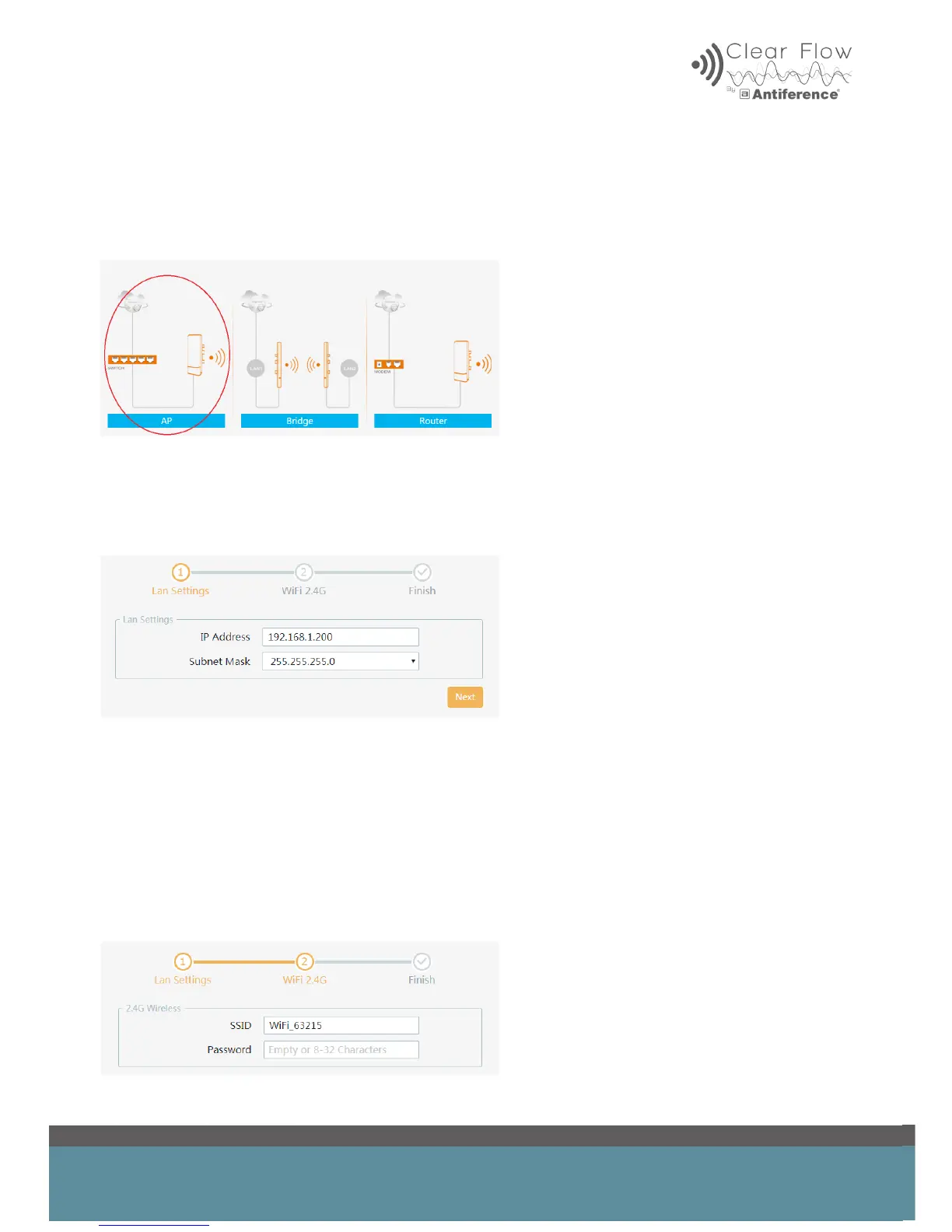
Locate the wizard in the on-board menu
Select ‘AP’ option
4.1 LAN settings
This covers the device IP Address and Subnet Mask. Set your desired static IP address in this
menu. The ‘Subnet Mask’ can be left as default.
Click ‘Next’
4.2 WiFi 2.4GHz settings
Choose a suitable SSID (name of your new WiFi) and password.
If several AP’s are to be installed as one network, then the SSID and passwords should be the
same.


 To Next Page