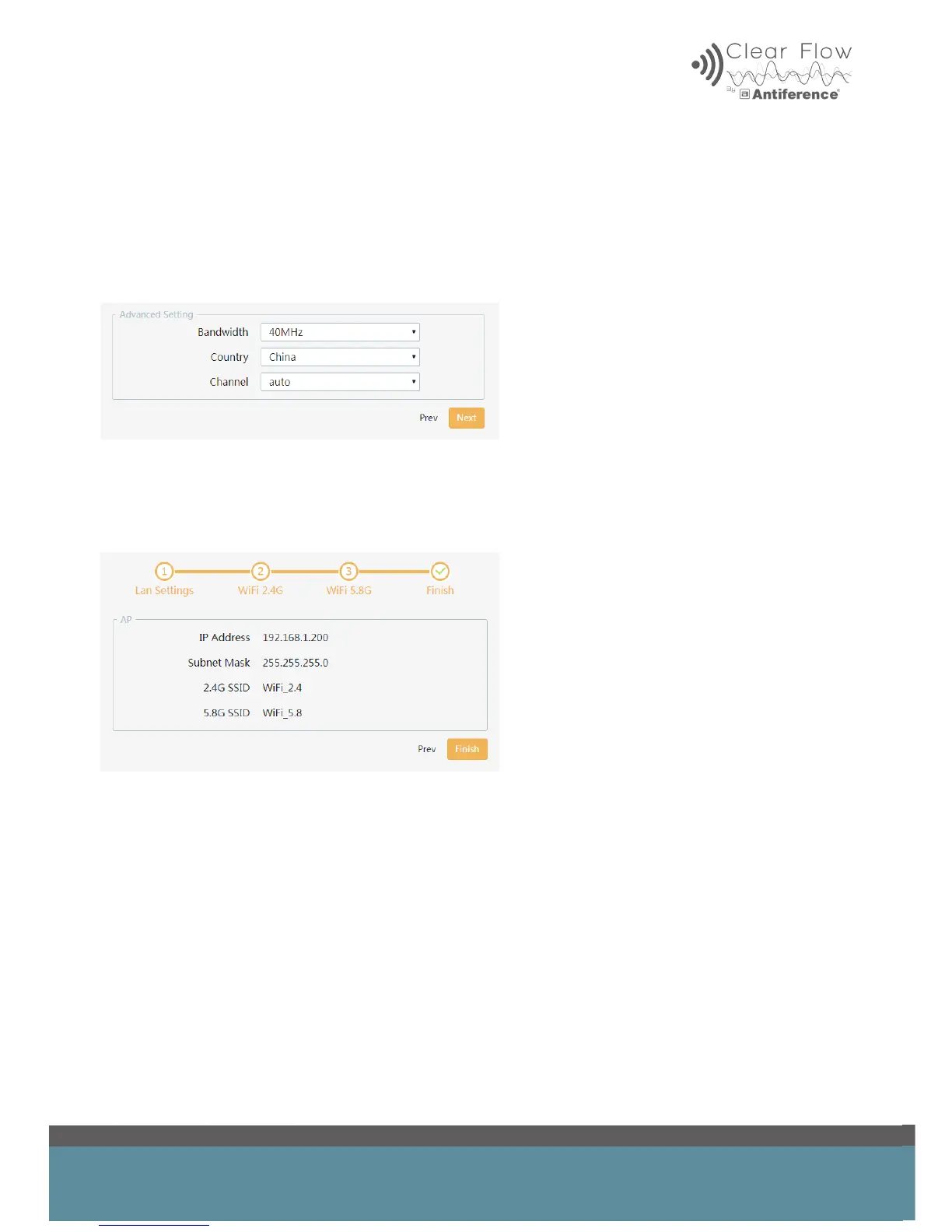
4.5 Advanced Settings 5.8GHz
Bandwidth selection – This should be set to 40MHz for 5.8GHz WiFi systems
Select the country – this affects the number of channels available in manual channel selection
Channel selection – choose a specic channel or run in auto mode.
4.6 Summary Page
Review the settings and either click ‘Prev’ to return back through the menu and make changes or
click ‘Finish’ to complete the set up process.


 To Next Page