7 ADVANCED SETTINGS
7.1 Network
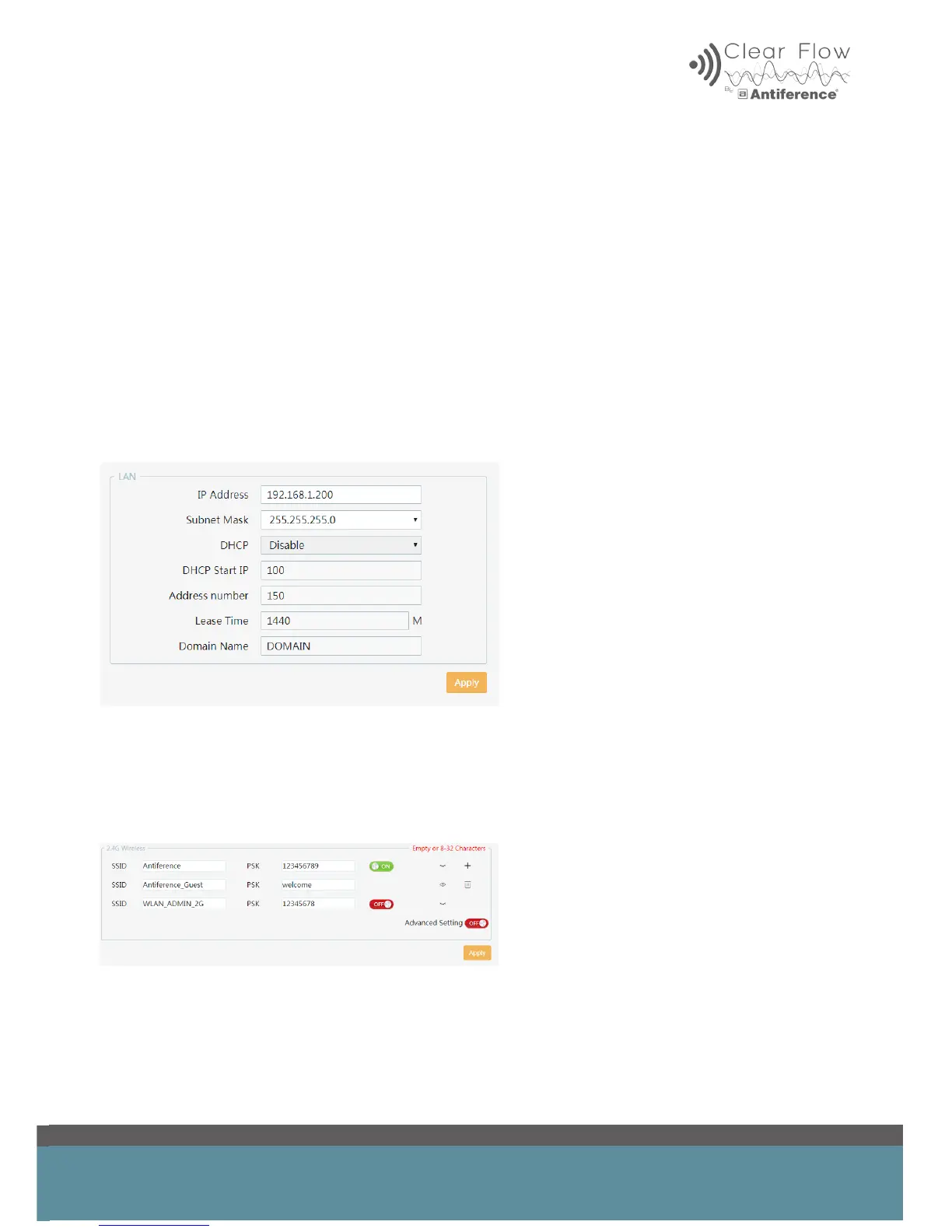
In the LAN settings it is possible to set your static IP. If you are planning to use several AP’s then
it would be sensible to set the IP address of each AP to something you can remember so that you
are able to nd each one on the network should they require changing.
If DHCP mode is enabled then your access point will assign an IP address to devices that connect
to it. This should be on only if you are in router mode.
You want this option switched off if you have a separate main router in the network, as this will
already be assigning DHCP information to clients.
If you decide to set a static IP then this should be done during the set up wizard.
7.2 Wireless Settings
In this menu you can create additional WiFi services such as a guest network, for example. Click
the + symbol and then enter a suitable SSID and password in the new eld.
This can be useful to keep users on separate networks.


 To Next Page