9 SYSTEM MENU
9.1 Tools
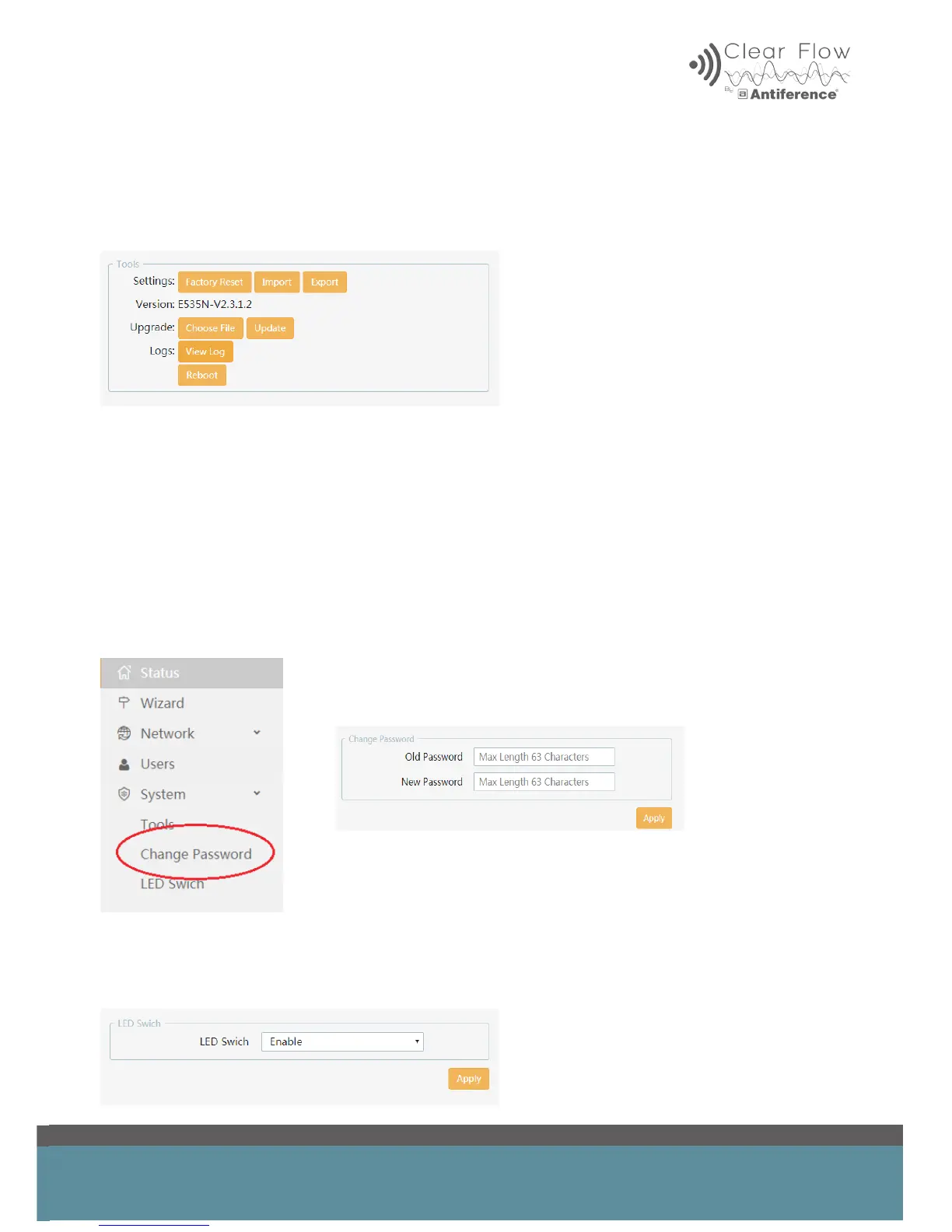
The tools menu offers tools such as factory reset, Firmware upgrade, log access and re-boot.
9.2 Changing the Admin password
Click on ‘System’ in on-board menu
Choose ‘Change Password’
Insert current password (default is ‘admin’ unless it has been changed)
Insert new password
Click ‘Apply’ to complete password update
9.3 LED Indicator
It is possible to disable the LED on the device if required. Select LED switch and disable.


 To Next Page