BEFORE YOU START
DO NOT connect the AP/bridge to the network until programming is complete.
Set up of all Clear Flow devices can be achieved with a tablet, smart phone or laptop.
Using the on-board GUI, the device can be set up via the wizard as an AP, Bridge or Router.
2 CONNECTION
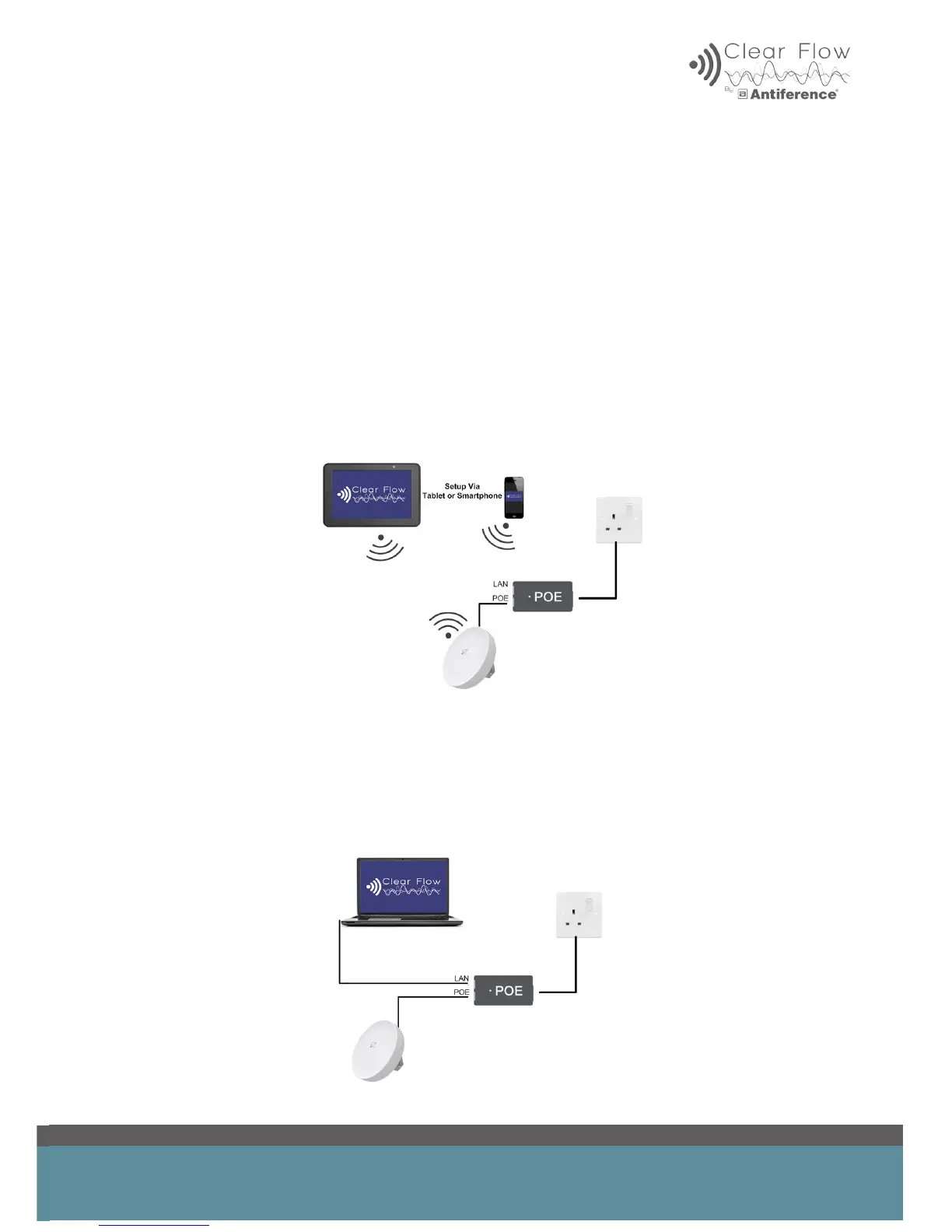
2.1 Connection when programming with tablet or smart phone
Plug in the power injector to the mains. Connect the patch cable to the POE port on the injector
and the LAN or WAN port on the AP/bridge.
2.2 Connection when hard wired to laptop
Plug in the power injector to the mains. Connect the patch cable to the POE port on the injector
and the LAN or WAN port on the AP/Bridge.
Connect the Ethernet port on your laptop to the LAN port on the power injector.


 To Next Page