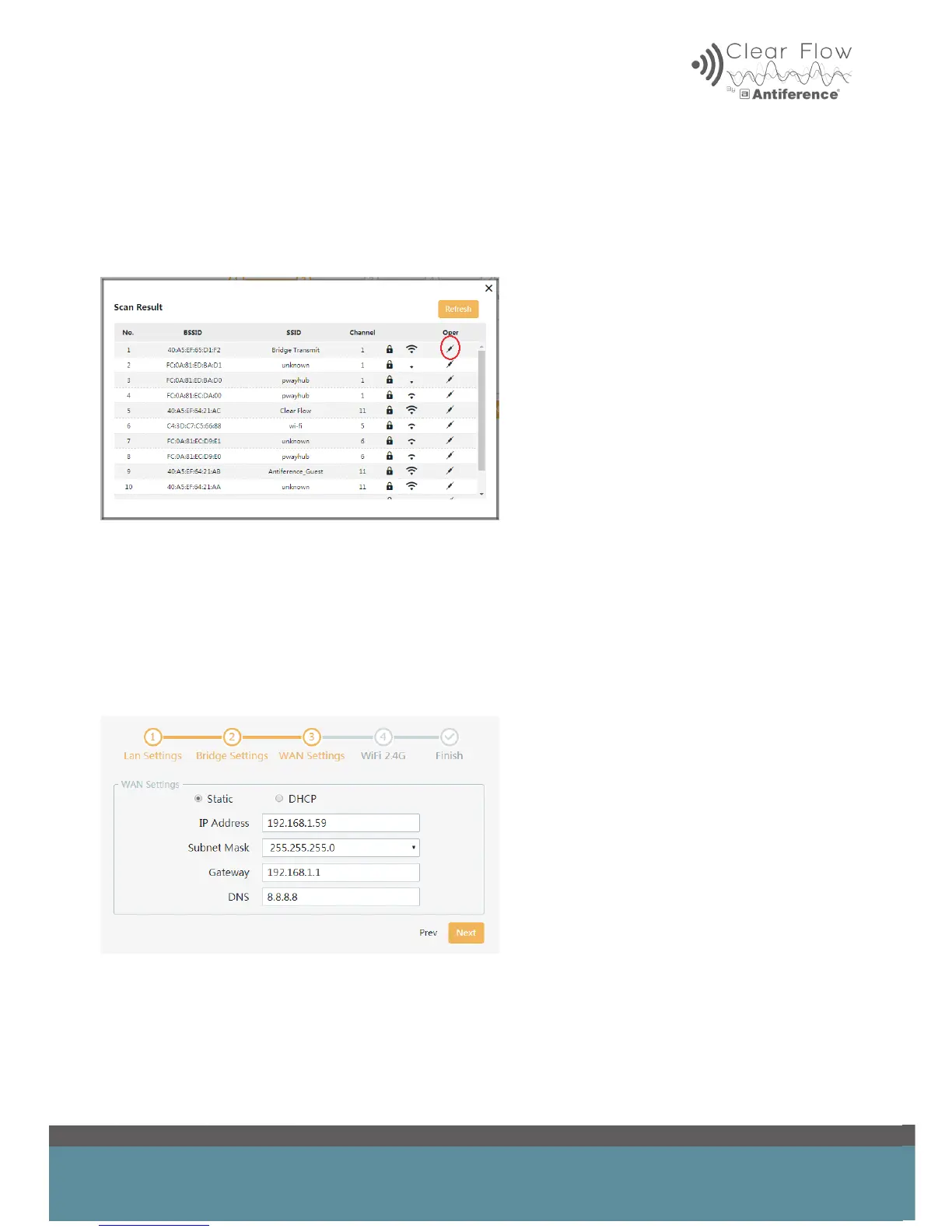
5.2 Bridge Settings
When setting up the receiver you will need to scan for the transmitter AP, if you are using a dual
band AIR you will need to select the same frequency as your transmitter AP IE 2.4GHz or 5.8GHz.
When the list of networks appears, select the transmitter from the list.
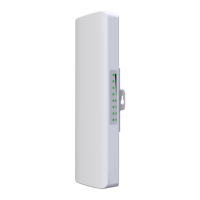
5.3 WAN Settings
Here you can select static or DHCP. If DHCP is enabled, the host router will assign an IP address
to the AP. If you do not want this to take place, set a static IP address. Ensure the IP address is
on the same IP range as the network – for example 192.168.1.??? You must ensure it does not
conict with any other device on the network. You may need to scan the network to check the de-
tails. The subnet mask and gateway will be assigned automatically and the DNS should be set to
8.8.8.8, as per the diagram below.


 To Next Page