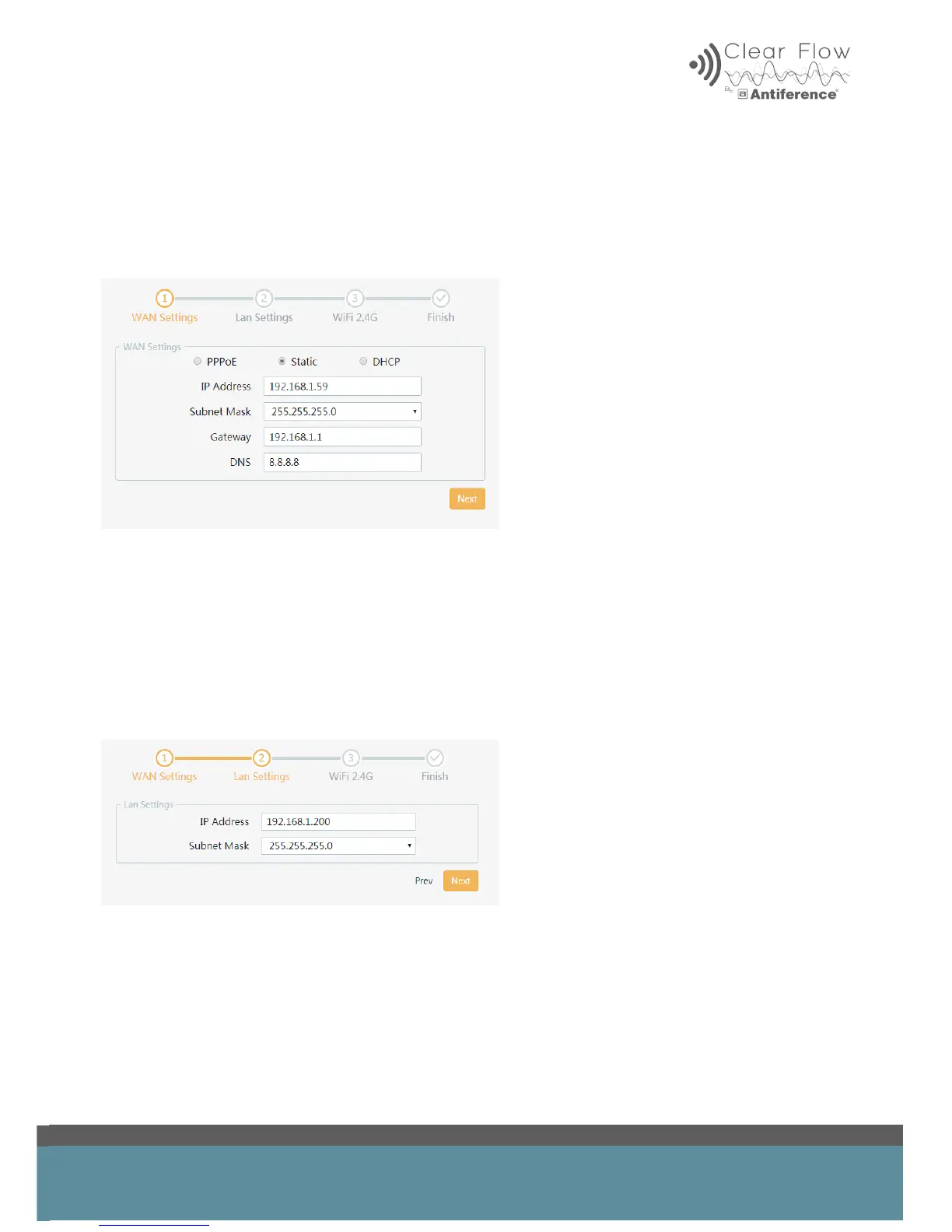
Static or DHCP
If you have been provided with IP information from your service provider (usually remote locations
using bridges to receive broadband will use this option) then enter it and click ‘Next’.
The DHCP option is similar, except it will attempt to automatically nd and ll in this information.
6.2 LAN Settings
‘LAN settings’ refers to the local IP address of the router.
Leave this as the default ‘192.168.1.200’ or, if you prefer, change it to one of the more commonly
used router IP addresses such as ‘192.168.1.1’ or ‘192.168.1.254’.
The subnet mask can be left as the default value ‘255.255.255.0’, click ‘Next’ to continue.


 To Next Page