10.3 What is an IP Address?
An Internet Protocol Address (IP address) is a numerical label assigned to each device connected
to a computer network that uses the Internet Protocol for communication. An IP address serves
two principal functions: host or network interface identication and location addressing.
10.4 How do I nd my devices IP address?
A scan of the network will identify the IP address of your device and an app such as FING (availa-
ble on iOS & Android) is useful for this task.
10.5 What Wi-Fi channel is my device using?
If using auto mode, the device will select a channel in the band automatically and if other wireless
devices are being used such as a baby monitor or wireless phone, it is useful to know what other
channels are being used in the building in order to avoid them.
A Wi-Fi analyser should be used for this to ascertain the actual air radio noise. SSID’s can be dis-
cussed at length but an analyser which shows the energy in the air would be recommended such
as Wi-Fi Analyser (Android only).
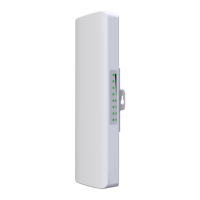
10.6 What do the LED’s indicate on the AIR access point?
Blue – Wireless/Wi-Fi
Red – WAN
Green – LAN
The LED can be disabled in the system menu.
Declaration of Conformity
We, ANTIFERENCE LIMITED herewith declare that the CLEAR FLOW Wireless access point
products comply with all essential requirements and other applicable conditions set forth on direc-
tive 1999/05/CE.
According to the WEEE (Waste Electrical and Electrical Equipment) EU Directive, do not dispose
of this product as household waste or commercial waste. Waste Electronic Equipment should be
appropriately collected and recycled as required by practices established for your country. For in-
formation on recycling of this product, please contact your local authorities, your household waste
disposal service or the shop where you purchased the product


 To Next Page