User Manual
30
After checking completed, the interface will show the checking result,
After each test are finished, press [C] key to exit.
2.6 USB Flash
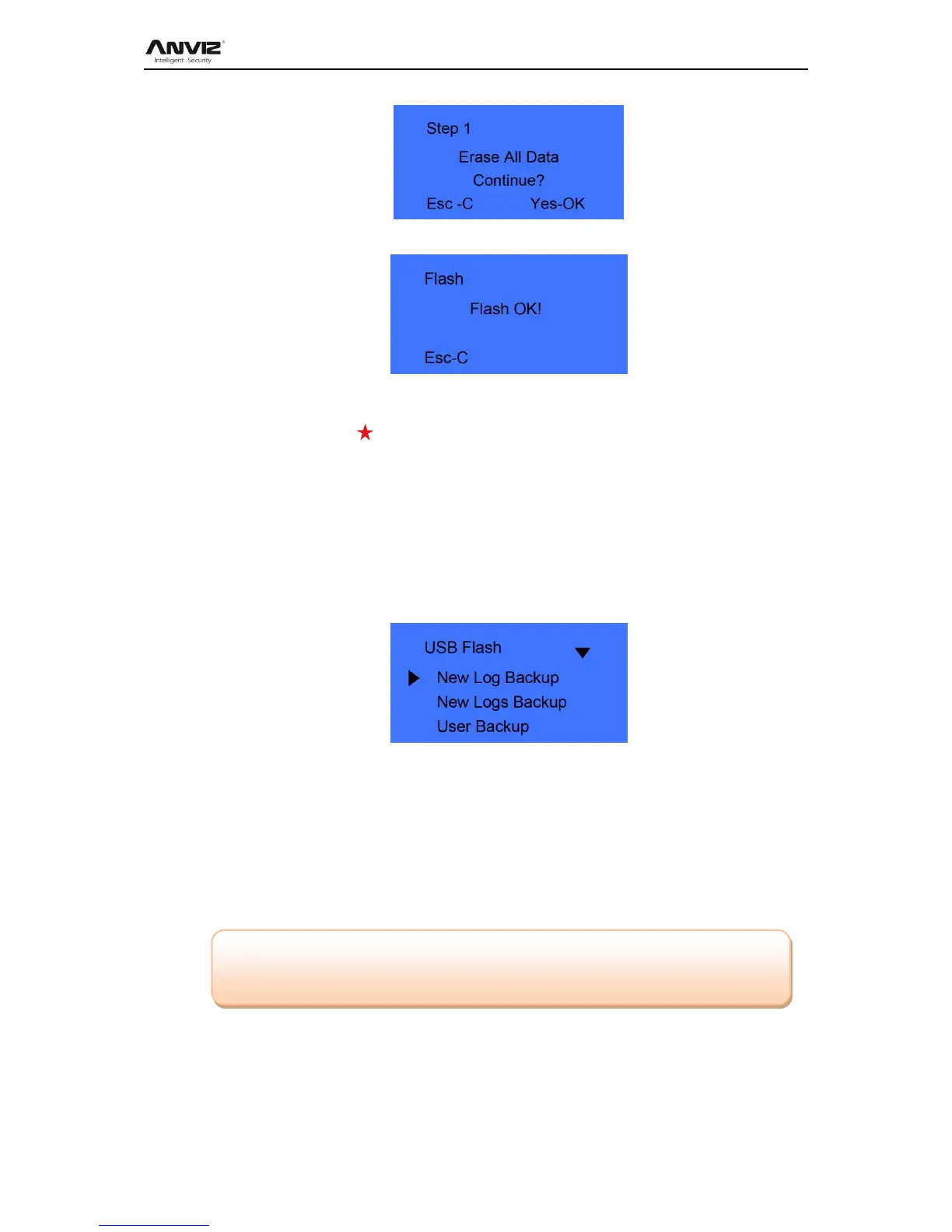
Put U flash driver into terminal USB port and press [M] to management menu. Select
[USB Flash] Press [OK] enter sub menu.
2.6.1 New Log Backup
Download the new records into U flash driver.
Press [ IN] or [OUT] key to select [New Log Backup] option, press [OK] key to
download the new attendance record.
After back successful, Press [C] key exit to upper menu.
The new record file stores in the BAK.KQ file which under G:\00000001 directory.
[G]: The driver letter of the USB flash driver; [00000001]: is the terminal device ID.
2.6.2 All Log Backup
Download all the records into U flash driver. All attendance files store in the BAK.KQ file
which under G:\00000001 directory.
2.6.3 User Backup
Download user information and fingerprint template to USB flash driver, the backup file
store in BAK.YG and BAK.ZW file under G:\00000001 directory.
Note: Please copy the backup record files to another direction of the local PC,
Otherwise running [All Log Backup] will instead backup files.


 To Next Page