User Manual
68
5 Data Communication
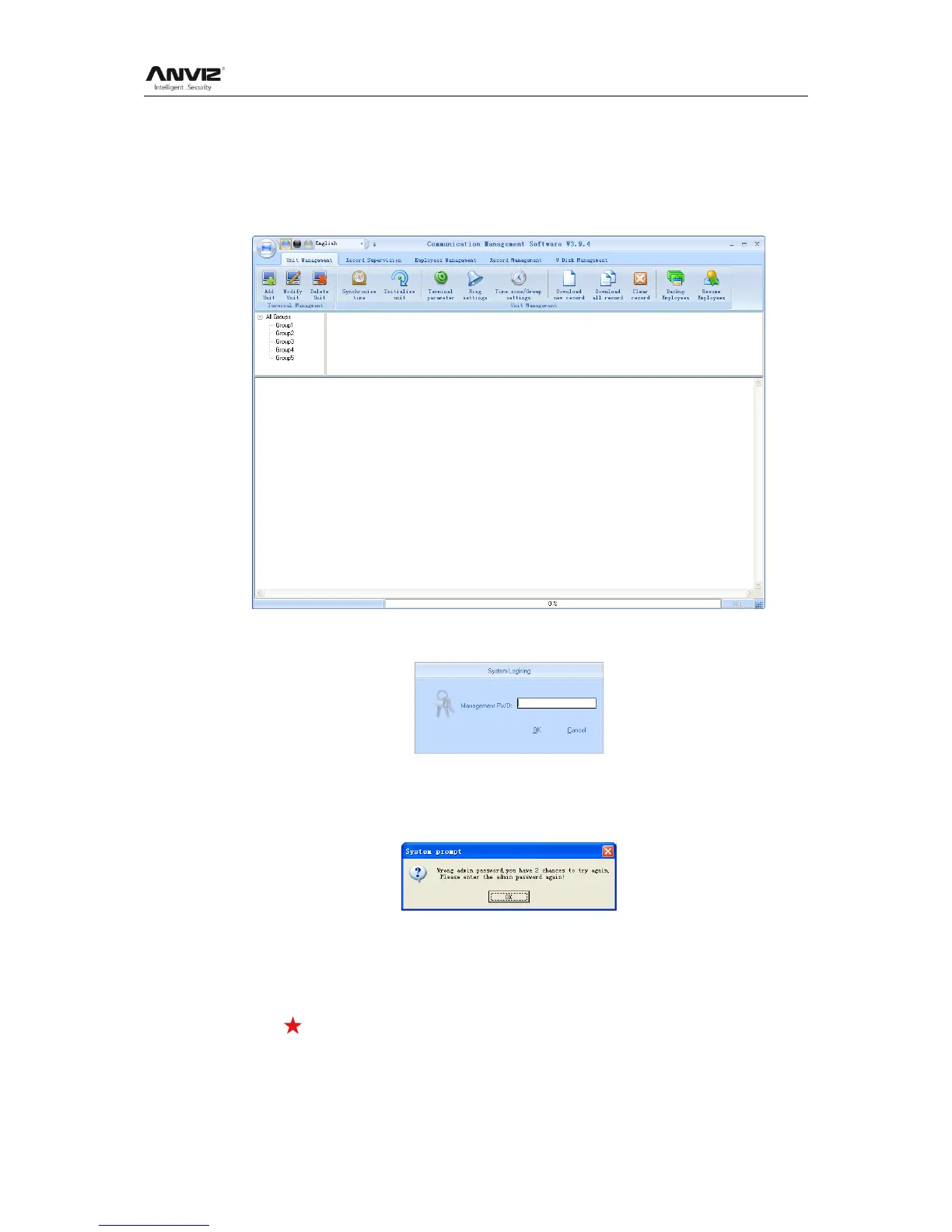
Select [Start] - [All programs] - [Intelligent Management System] - [Communication
Management Software], the main interface will show as following (default password is
empty):
If the time attendance software‘s login password is not empty, you should enter the
password firstly.
Enter the password and click the button [OK] to login.
If you enter the wrong password 3 times, the software will automatically close.
When you enter a wrong password, a message box pops up as follows:
Click the button [OK]. And then try to enter the correct password
5.1 T&A Machine Management
5.1.1 Add Unit
Click the button [Add Unit]. Following windows pops up:


 To Next Page