User Manual
84
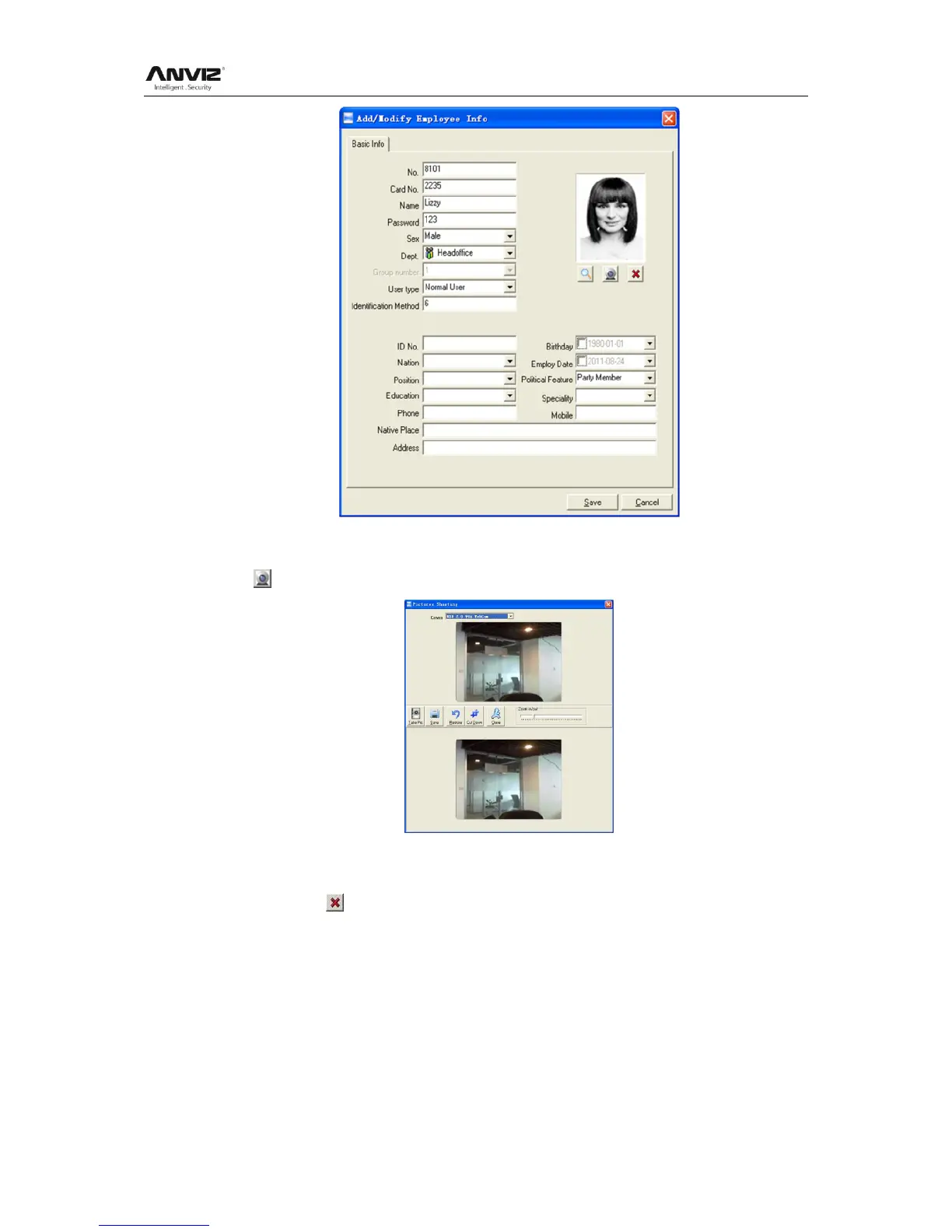
2nd way: You can install camera to take pictures and edit then save. Make sure there is
camera equipment installed in your PC.
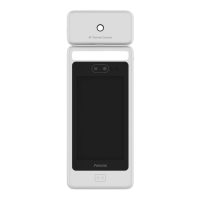
Click [ ] button, open [Pictures shooting] window as following,
Choose camera equipment, and click the button [Take Pic] to take a photo.
Edit the photo by [Cut-down] function and then click the button [Save] to save.
Click the button [ ] to delete the employee photo.
[Fingerprint registration]: Use the external USB fingerprint reader: OA99+ to enroll the
fingerprint.
The sentence ―Connect to the fingerprint sensor reader successfully!‖ means that the
OA99+ is connected successfully.


 To Next Page